
 Mobile App Development
 Software Development
 AI Solutions & Automation
 IoT Solutions
 Web Development
 Cyber Security
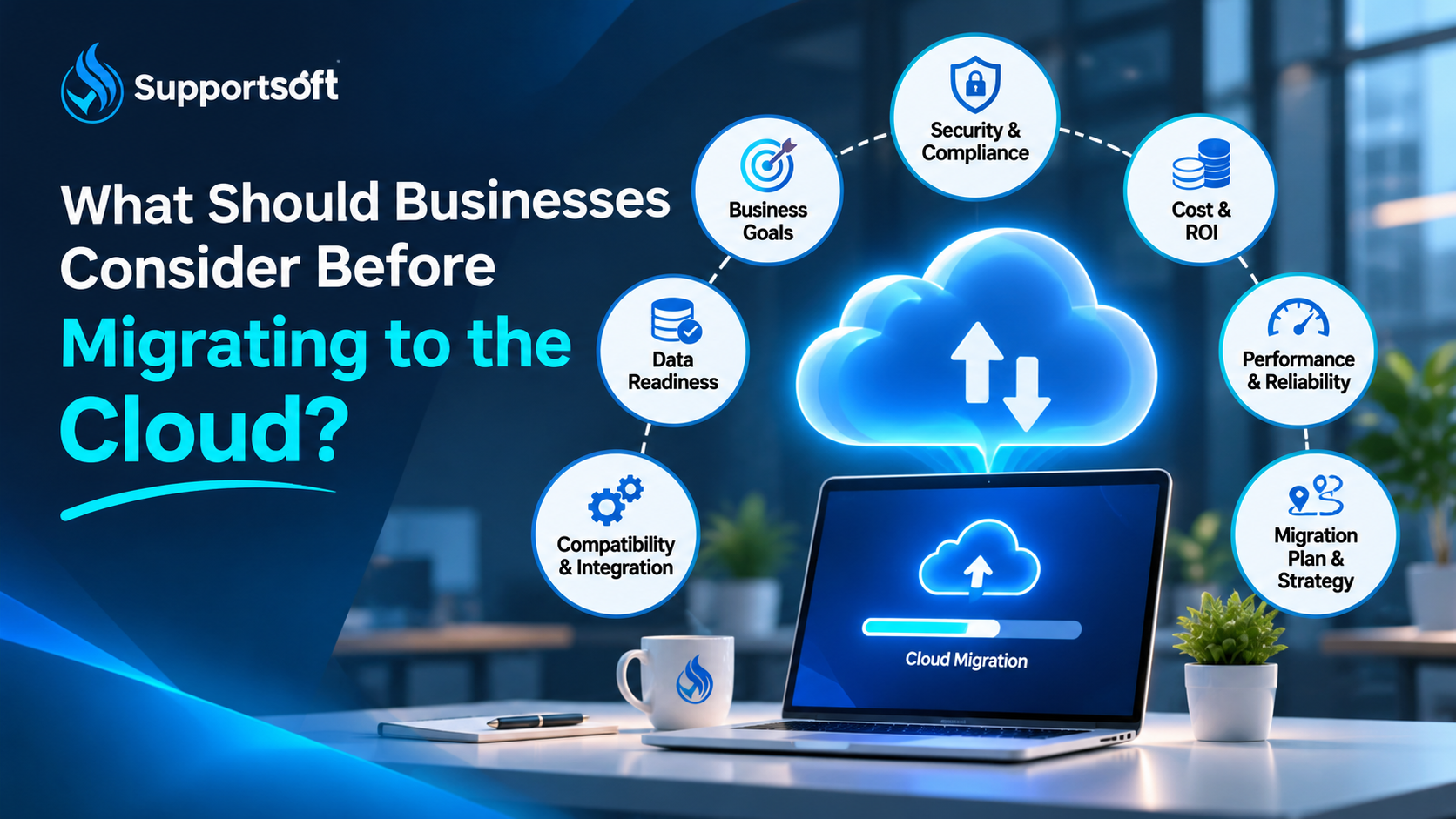
What Should Businesses Consider Before Migrating to the Cloud?

Supportsoft Nov 26, 2026
Modern cloud platforms allow businesses to run applications, store information and manage infrastructure without relying entirely on traditional on-premises environments. Intelligent software capabilities, automated workflows and data-driven applications can also benefit from cloud infrastructure when the underlying systems are planned appropriately. However, businesses should evaluate their existing technology, security requirements and operational needs before deciding how to move workloads to the cloud.
Introduction
Cloud migration involves moving business applications, data, databases, workloads or IT infrastructure from existing environments to cloud-based platforms. This may involve transferring an entire infrastructure, moving selected applications or adopting a hybrid environment that combines on-premises systems with cloud services.
Although cloud migration can support flexibility and scalability, the process requires careful planning. Moving systems without assessing their dependencies, compatibility, security requirements and operating costs can create unexpected disruption.
Before starting a migration project, businesses should understand:
- Which applications, databases and workloads need to be migrated
- Whether existing systems are compatible with the intended cloud environment
- Which cloud deployment model suits their operational requirements
- How business data will be protected during and after migration
- What costs may arise during implementation and ongoing operations
- How downtime and disruption will be managed
- Whether employees and technical teams are prepared for the transition
- How the migrated environment will be monitored and maintained
This guide explains the key factors businesses should consider before migrating to the cloud, including infrastructure readiness, migration strategies, security costs, performance and long-term management.
Assess Your Existing IT Infrastructure
Before selecting a cloud platform, businesses should understand the technology environment they currently operate.
An infrastructure assessment helps identify which systems can be migrated directly, which require modification and which may need replacement.
Review Existing Applications and Systems
Start by creating an inventory of the applications and services currently used across the organisation.
This may include:
- Business management software
- Customer relationship management systems
- Accounting and financial applications
- Enterprise resource planning platforms
- Internal databases
- File storage and document management systems
- Websites and web applications
- Email and communication platforms
- Backup and disaster recovery systems
For each application, document its purpose, business importance, technical requirements and current hosting environment.
Identify Infrastructure Dependencies
Applications rarely operate independently. They may rely on databases, APIs, authentication services, file storage, network connections or other internal systems.
These dependencies need to be understood before migration begins.
For example, moving an application to the cloud without accounting for its database connection or authentication service could cause operational problems.
Businesses should identify:
- Application-to-application dependencies
- Database connections
- External API integrations
- Network and connectivity requirements
- Software and operating system dependencies
- Authentication and access management arrangements
Establish a Baseline of Current Performance
Record how existing systems perform before migration.
Useful measurements include:
- Average application response time
- CPU and memory utilisation
- Storage consumption
- Network traffic
- Database performance
- Peak workload periods
- Application availability
- Current infrastructure and support costs
These measurements provide a reference point for evaluating the migrated environment.
Define Your Cloud Migration Objectives
A migration project should have clear business objectives rather than being solely about the availability of cloud technology.
Different orgranisations may have different reasons for considering migration.
For example, a business may want to:
- Replace ageing infrastructure
- Improve application availability
- Support employees working across different locations
- Reduce the need to manage physical servers
- Improve disaster recovery arrangements
- Accommodate changing workloads
- Connect business systems more effectively
- Modernise applications that are difficult to maintain
Translate Business Goals Into Measurable Outcomes
Each objective should be connected to a measurable outcome.
| Business objective | What to evaluate | Possible measurement |
|---|---|---|
| Improve application performance | Response times and resource utilisation | Application response time |
| Improve availability | Redundancy and recovery arrangements | Service availability |
| Support business growth | Resource capacity and scaling requirements | Capacity utilisation |
| Improve disaster recovery | Backup and recovery processes | Recovery Time Objective (RTO) |
| Control infrastructure costs | Resource usage and recurring charges | Monthly infrastructure expenditure |
| Improve system integration | Data exchange and application connectivity | Integration reliability |
The measurements should reflect the actual business requirements. Cloud migration does not automatically improve every performance or cost metric.
Choose the Right Cloud Deployment Model
Businesses should decide which cloud deployment model is appropriate for their applications, data and operational requirements.
The main options are public cloud, private cloud and hybrid cloud.
Public Cloud
Public cloud infrastructure is provided by an external cloud provider, with computing resources delivered over the internet.
Businesses can access services such as virtual machines, storage, databases, networking and managed application platforms.
This model may be suitable when organisations need flexible infrastructure without maintaining their own physical data centre.
Private Cloud
A private cloud environment is dedicated to a single organisation. It may be hosted internally or managed by an external provider.
Businesses may consider this model when they require greater control over infrastructure configuration, access arrangements or particular operational requirements.
However, private cloud environments may involve additional management responsibilities and costs.
Hybrid Cloud
A hybrid cloud combines private or on-premises infrastructure with public cloud services.
For example, a business may keep a particular legacy application in its existing environment while moving its website, analytics workloads or selected databases to a public cloud platform.
This approach can be useful when some systems cannot be moved immediately or when different workloads have different requirements.
Cloud Deployment Models Compared
| Deployment model | Infrastructure arrangement | Potential advantages | Important considerations |
|---|---|---|---|
| Public cloud | Services hosted by a third-party provider | Flexible resource access and managed services | Usage costs, provider dependency and configuration |
| Private cloud | Dedicated cloud environment for one organisation | Greater control over infrastructure and configuration | Management responsibilities and infrastructure costs |
| Hybrid cloud | Combination of public cloud and private or on-premises systems | Flexibility for different workloads and gradual migration | Integration, network connectivity and operational complexity |
The right model depends on security, compliance, performance, cost and application requirements rather than on a general preference for one cloud environment.
Evaluate Cloud Platform Compatibility
Not every existing application can be moved to the cloud without modification.
Some applications are designed for modern cloud environments, while others depend on older operating systems, hardware configurations or infrastructure components.
Businesses should assess compatibility before committing to a migration strategy.
Check Operating System and Software Requirements
Review whether the current applications support the operating systems and runtime environments available on the intended cloud platform.
Older applications may depend on unsupported software versions or specific server configurations.
These dependencies can affect migration feasibility and may require modernisation before deployment.
Review Database Compatiblity
Databases need particular attention because they often contain critical business information.
Consider:
- Whether the existing database engine is supported
- Whether the database version is compatible
- Whether the intended cloud service supports required database features
- How data types and stored procedures will be handled
- Whether applications need changes to connect to the new database
- How database performance will be tested after migration
Examine Integration Requirements
Applications may connect with accounting systems, CRM platforms, payments providers, internal databases and other business tools.
Check whether these integrations will continue to work after migration.
Businesses should also assess API authentication, network access, sata formats and communication restrictions.
Decide Whether Applications Need Modernisation
Some applications may need to be updated before they can operate effectively in a cloud environment.
This could involve:
- Updating unsupported software dependencies
- Replacing obsolete components
- Improving database architecture
- Modifying application configurations
- Refactoring selected application functions
- Introducing suitable APIs
The objective is to identify technical work before migration rather than discovering major compatibility issues during deployment.
Select an Appropriate Cloud Migration Strategy
Cloud migration is not a single technical process. Different applications may require different migration approaches.
The strategy should be selected according to application complexity, business importance, technical limitations and available resources.
Rehosting
Rehosting involves moving an application to cloud infrastructure with minimal changes to its existing architecture.
This approach is sometimes called lift and shift.
It may be appropriate when a business wants to move a workload quickly without undertaking extensive application redevelopment.
However, rehosting does not automatically improve the application's architecture or performance.
Replatforming
Replatforming involves making selected changes to an application so it can use cloud services more effectively without completely redesigning it.
For example, a business may move its application to cloud infrastructure while replacing a self-managed database with a managed database service.
Refactoring or Re-Architecting
Refactoring involves making more substantial changes to an application's architecture to take advantage of cloud capabilities.
This may include introducing modular components, improving scalability or redesigning how the application processes workloads.
It can provide longer-term benefits but generally requires more planning, development and testing.
Repurchasing
Repurchasing means replacing an existing application with a different product, often a cloud-based subscription service.
For example, a business may replace an internally hosted business application with a suitable SaaS platform.
Retaining
Some applications may remain in their existing environments because they cannot be migrated immediately or because migration does not provide sufficient business value.
This may be a temporary or long-term decision.
Retiring
Applications that are no longer required can be decommissioned instead of migrated.
This helps avoid unnecessary migration work and ongoing infrastructure expenditure.
Migration Strategies at a Glance
| Strategy | What happens | When it may be appropriate |
|---|---|---|
| Rehosting | Move the application with minimal changes | When speed is important and the existing architecture remains suitable |
| Replatforming | Make selected changes for cloud compatibility | When managed, cloud services can improve operations |
| Refactoring | Redesign or substantially modify the application | When existing architecture limits scalability or maintainability |
| Repurchasing | Replace the application with another product | When a suitable cloud-based alternative meets business needs |
| Retaining | Keep the application in its current environment | When migration is unsuitable or not currently justified |
| Retiring | Decommission an application | When the system is no longer needed |
Businesses do not have to use one strategy for every application. A migration plan can combine several approaches according to individual workload requirements.
Review Data Security, Privacy and Compliance Requirements
Security should be considered before, during and after cloud migration.
Moving information to a cloud environment changes how data is stored, accessed, transmitted and managed. Businesses need to understand their responsibilities and the security controls available from the cloud provider.
Classify Business Data
Identify the types of information stored across existing systems.
This may include:
- Customer information
- Employee records
- Financial and transaction data
- Business contracts
- Intellectual property
- Operational records
- Authentication credentials
- Sensitive business documents
Classifying information helps determine which security and access controls are required.
Understand the Shared Responsibility Model
Cloud providers and customers have different security responsibilities.
The provider generally manages security aspects of its underlying cloud infrastructure, while customers remain responsible for various areas such as data access, identity management, application security and service configuration.
The exact division depends on the cloud service being used.
Businesses should understand which controls they must configure and maintain rather than assuming the provider manages every aspect of security.
Plan Identity and Access Management
Access should be limited to authorised users and systems.
Consider implementing:
- Multi-factor authentication
- Role-based access controls
- Least-privilege permissions
- Secure administrative accounts
- Access reviews
- Logging of important account activity
Protect Data During Transfer and Storage
Sensitive information should be protected while it moves between environments and after it reaches the cloud.
Relevant safeguards may include encryption in transit, encryption at rest, secure key management and controlled data transfer processes.
Review Privacy and Regulatory Obligations
Businesses should identify the legal, contractual and industry requirements that apply to their data.
For Australian organisations, this may include assessing relevant obligations under the Privacy Act 1988 and the Australian Privacy Principles where applicable.
Businesses should also consider contractual requirements, data residency expectations and any sector-specific obligations.
Cloud migration does not automatically make an organisation compliant. Responsibility for meeting applicable obligations remains with the organisation.
Calculate the Total Cost of Cloud Migration
Cloud migration costs extend beyond the initial transfer of applications and data.
Businesses should estimate both the implementation investment and the ongoing cost of operating the migrated environment.
Initial Migration Costs
The project may involve:
- Infrastructure assessment
- Cloud architecture planning
- Application modification
- Data transfer
- Integration development
- Testing and validation
- Security configuration
- Employee training
- Migration support
The amount depends on the number of workloads, application complexity and migration strategy.
Ongoing Cloud Operating Costs
Cloud platforms commonly charge according to resource consumption, service selection and usage arrangements.
Potential expenses include:
- Computing resources
- Storage capacity
- Database services
- Network traffic and data transfer
- Backup and recovery
- Monitoring tools
- Security services
- Software licences
- Technical support
Some services may also involve minimum commitments, reserved capacity or additional charges for specific features.
Understand Common Cloud Cost Risks
Businesses should pay attention to:
- Overprovisioned resources: Allocating more computing or storage capacity than workloads require.
- Idle resources: Leaving unused instances, databases or other services running.
- Data transfer charges: Underestimating the cost of moving information between environments or across regions.
- Uncontrolled storage growth: Retaining unnecessary files, backups or duplicated data.
- Licensing costs: Overlooking software licences and subscription requirements.
Build a Cloud Cost Management Plan
A practical cost management approach should include:
- Estimating resource requirements before migration
- Setting budgets and spending alerts
- Monitoring usage by application or department
- Reviewing idle and underused resources
- Applying appropriate storage policies
- Checking data transfer requirements
- Reviewing cloud bills regularly
Cloud infrastructure can offer flexible resource allocation, but cost efficiency depends on how resources are selected, configured and monitored.
Plan for Downtime and Business Continuity
Migration can affect business operations if applications or data become temporarily unavailable.
Businesses should identify which systems are critical and determine how much disruption can be tolerated.
Identify Critical Applications
Classify applications according to their operational importance.
For example, a payment processing system or customer-facing booking platform may require a different migration approach from an internal reporting tool.
Define Recovery Objectives
Two important concepts are:
- Recovery Time Objective (RTO): The maximum acceptable period for restoring a system after a disruption.
- Recovery Point Objective (RPO): The maximum acceptable amount of data loss measured in time.
These objectives help businesses determine backup frequency, recovery arrangements and migration requirements.
Choose a Suitable Migration Window
Where downtime is unavoidable, schedule migration during a period when disruption is likely to have the lowest business impact.
Communicate the schedule to employees, customers and other affected stakeholders.
Prepare a Rollback Plan
A rollback plan explains how the business will return to its previous environment if migration fails or critical problems occur.
It should identify:
- Which systems need to be restored
- How original data will be preserved
- Who is authorised to initiate rollback
- How long the process may take
- How users will be informed
- How data consistency will be maintained
Businesses should not treat rollback as an afterthought. It should be part of the migration plan before the first production workload is moved.
Evaluate Cloud Performance and Scalability Requirements
Cloud migration should support the performance needs of business applications under normal and peak workloads.
Simply moving an application to cloud infrastructure does not guarantee faster response times or better scalability.
Assess Workload Requirements
Understand how much computing, memory, storage and network capacity each application requires.
Consider:
- Average and peak user activity
- Database query patterns
- Background processing
- File transfer volumes
- Application response requirements
- Expected growth in users or transactions
Understand Scaling Options
Cloud environments may support different scaling approaches.
Vertical scaling involves increasing the capacity of an individual computing resource, such as adding more CPU or memory.
Horizontal scaling involves adding more instances or resources to distribute workload across multiple systems.
Auto-scaling allows resources to increase or decrease according to defined conditions and workload demand.
Not every application supports all scaling approaches. Architecture and application design influence which options are practical.
Plan for Network Performance
Application performance can also depend on network connectivity, latency, bandwidth and the location of users and services.
Businesses should examine how applications communicate with cloud resources and whether existing network arrangements are suitable.
Prepare Employees and Internal Teams for the Transition
Cloud migration can change how employees access applications, manage information and perform daily tasks.
Technical planning should therefore be supported by organisational preparation.
Identify Skills and Training Requirements
Employees may need training on:
- Accessing cloud-hosted applications
- Using updated authentication processes
- Managing files and shared resources
- Following new security procedures
- Reporting technical issues
- Understanding changes to existing workflows
IT teams may also need additional knowledge of cloud infrastructure, monitoring, access management, backup and cost management.
Define Operational Responsibilities
Establish who will manage the migrated environment.
Responsibilities may include:
- Cloud resource administration
- User and access management
- Security configuration
- Monitoring and incident response
- Backup and recovery
- Cost reviews
- Vendor communication
- Application maintenance
Clear responsibilities help prevent gaps in ongoing operations.
Communicate Changes Before Migration
Employees and relevant stakeholders should understand what is changing, when the transition will occur and where they can get support.
Good communication can reduce confusion and help users adapt to the new environment.
Choose the Right Cloud Migration Partner
Cloud migration can involve infrastructure engineering, application development, networking, databases, cybersecurity and operational management.
Businesses should assess the technical capabilities required for their particular environment before selecting a migration partner.
Evaluate Technical Expertise
Consider whether the provider can demonstrate experience relevant to:
- Cloud infrastructure architecture
- Application and database migration
- Network configuration
- Cloud security
- Data transfer and validation
- Application modernisation
- Backup and disaster recovery
- Performance monitoring
Understand the Proposed Migration Method
Ask how the provider intends to assess workloads, prioritise applications, conduct testing and manage production migration.
The proposed approach should explain how business disruption and technical risks will be controlled.
Review Support and Maintenance Arrangements
Migration does not end when applications are transferred.
Businesses should clarify who will manage infrastructure, monitor performance, apply updates and respond to incidents after deployment.
Assess Communication and Project Management
A suitable partner should explain technical decisions in terms that business stakeholders can understand.
Businesses planning an infrastructure transition can explore Cloud Development Services to understand the technical planning, migration and infrastructure support involved in moving business workloads to cloud environments.
Create a Cloud Migration Readiness Checklist
Before starting migration, businesses should confirm that the important planning areas have been addressed.
| Assessment area | Questions to resolve | Expected preparation |
|---|---|---|
| Infrastructure | Which applications, databases and workloads need migration? | Documented IT inventory and dependency map |
| Business objectives | What should migration achieve? | Defined objectives and success measures |
| Cloud model | Which deployment model suits the workloads? | Selected public, private or hybrid approach |
| Compatibility | Are applications and databases supported? | Compatibility assessment and required changes |
| Migration strategy | Should workloads be rehosted, replatformed or refactored? | Workload-specific migration plan |
| Security | How will information and access be protected? | Security controls and data protection plan |
| Compliance | Which legal and contractual obligations apply? | Compliance and data handling review |
| Costs | What are the initial and recurring expenses? | Migration budget and cost forecast |
| Downtime | How will disruption and recovery be managed? | Migration window, backup and rollback plan |
| Performance | What capacity and response times are required? | Workload and performance baseline |
| Employees | What training and process changes are needed? | Communication and training plan |
| Ongoing operations | Who will manage the cloud environment? | Monitoring, support and maintenance arrangements |
Businesses should complete the relevant assessments before moving critical workloads into production.
Conclusion
Cloud migration requires more than transferring applications and data to a different hosting environment. Businesses need to understand their existing infrastructure, define clear objectives, select an appropriate deployment model and evaluate the technical, financial and operational implications of the transition.
Security, compliance, application compatibility, data integrity, downtime, performance and ongoing costs should all be considered before migration begins.
A structured approach helps organisations identify potential problems early, prioritise workloads and prepare employees for changes to their working environment. By assessing these factors before implementation, businesses can make better-informed cloud migration decisions and establish an environment that supports their operational requirements and future development.
Frequently Asked Questions
What should businesses consider before migrating to the cloud?
Businesses should assess their existing infrastructure, application compatibility, data security, compliance obligations, cloud deployment model, migration costs, downtime risks and ongoing management requirements. Clear objectives and a structured migration plan help reduce disruption.
What are the main challenges of cloud migration?
Common challenges include application compatibility, data transfer, security configuration, unexpected costs, integration problems, performance changes and operational disruption. Older systems may also require modification before they can operate effectively in a cloud environment.
How do businesses know if they are ready for cloud migration?
A business is better prepared when it has documented its existing infrastructure, identified application dependencies, defined migration objectives, assessed security and compliance requirements, estimated costs and established a migration and recovery plan.
Which cloud deployment model is best for a business?
The right model depends on operational requirements. Public cloud may suit businesses seeking flexible managed infrastructure, private cloud may be appropriate where dedicated infrastructure and control are important, and hybrid cloud can support organisations that need to combine cloud and on-premises systems.
What is the difference between cloud migration and cloud modernisation?
Cloud migration involves moving applications, data or workloads to a cloud environment. Cloud modernisation involves updating or redesigning systems to make better use of modern architecture, managed services, automation or other cloud capabilities. Migration may occur without extensive modernisation.
How much does cloud migration cost?
Costs depend on the number and complexity of applications, data volume, infrastructure requirements, migration strategy, integrations and testing. Businesses should also account for recurring computing, storage, networking, security, backup and support expenses.
How long does cloud migration take?
The timeline depends on the size of the environment, application dependencies, data volume, security requirements and amount of application modification required. Moving a straightforward workload may take less time than migrating interconnected business systems or modernising legacy applications. A realistic timeline requires an infrastructure assessment.
Can businesses migrate to the cloud without downtime?
Some migrations can be designed to minimise or avoid noticeable downtime through staged transfers, replication and controlled cutover processes. However, the feasibility depends on the application architecture, data consistency requirements and migration method. Businesses should establish acceptable downtime and recovery arrangements in advance.
Is cloud migration secure?
Cloud migration can be secure when appropriate controls are implemented. Businesses should protect data during transfer and storage, configure identity and access management, use suitable encryption, monitor activity and understand their responsibilities under the cloud provider's shared responsibility model.
What should businesses do after cloud migration?
After migration, businesses should validate application functionality, monitor performance, review security configurations, track infrastructure costs, verify backups and maintain recovery arrangements. Regular optimisation and maintenance help ensure that the cloud environment continues to meet business requirements.