
 Mobile App Development
 Software Development
 AI Solutions & Automation
 IoT Solutions
 Web Development
 Cyber Security
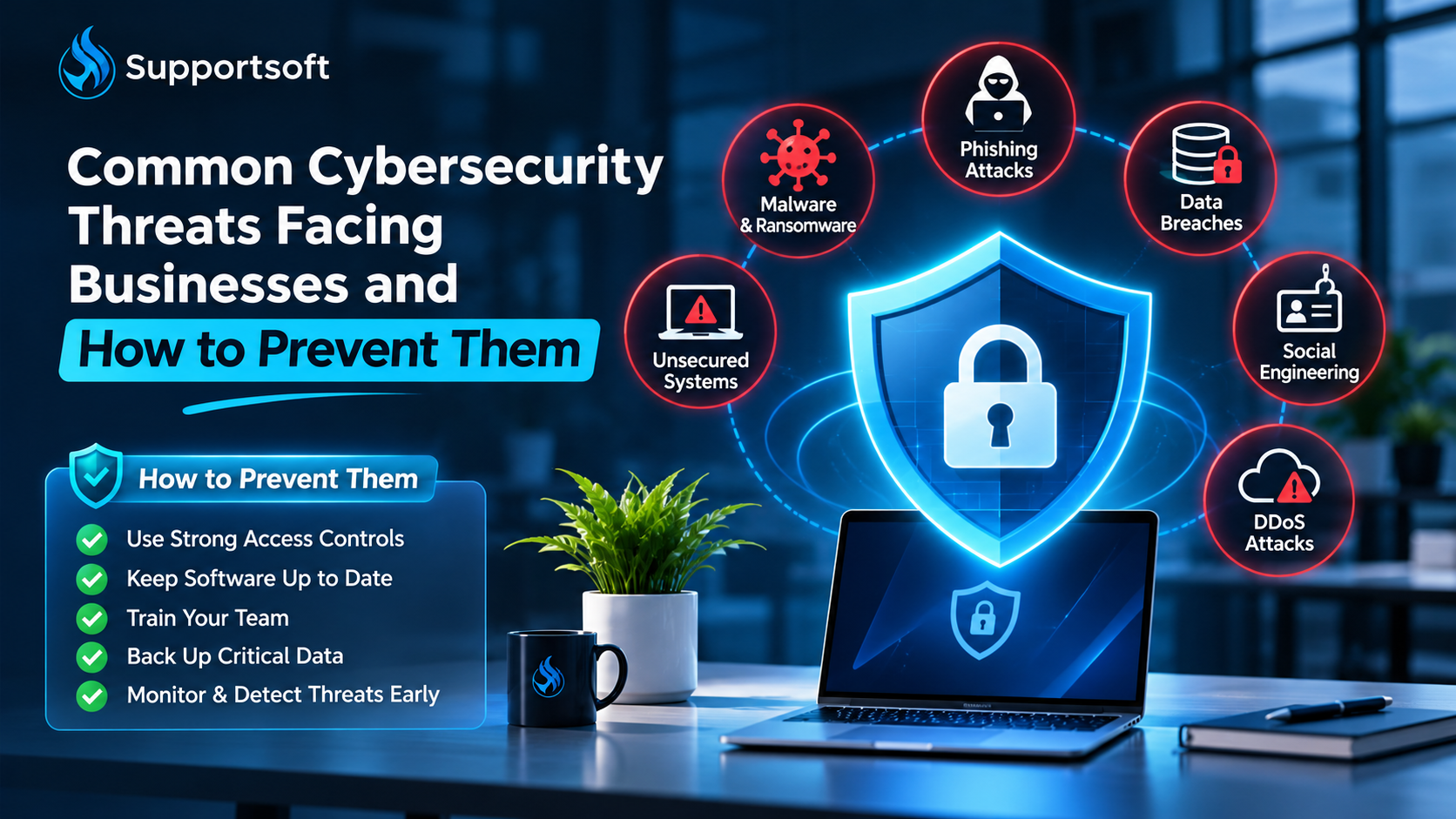
Common Cybersecurity Threats Facing Businesses and How to Prevent Them

Supportsoft Nov 25, 2026
Modern businesses rely on digital systems to manage customer information, process payments, communicate with suppliers and maintain daily operations. This dependence also creates opportunities for cybercriminals to exploit weaknesses in technology, employee practices and business processes. Understanding common cybersecurity threats is an important step towards protecting business information and maintaining operational continuity.
Intelligent tools are increasingly used to detect suspicious activity and support security monitoring. However, automated technologies can also help criminals create convincing phishing messages, imitate trusted individuals and scale certain attacks. Businesses should therefore combine appropriate technical safeguards with employee awareness, clear procedures and regular security reviews.
Introduction
Cybersecurity threats can affect businesses of every size. A successful attack may expose confidential information, interrupt services, compromise financial accounts or prevent employees from accessing essential systems. Even an organisation with a relatively small digital footprint can face risks through email, cloud applications, connected devices and third-party suppliers.
Some incidents result from deliberate attacks, while others begin with preventable weaknesses such as outdated software, reused passwords, excessive user permissions or accidental disclosure of information.
For businesses, effective protection involves more than installing antivirus software. It requires an organised approach to identifying threats, reducing vulnerabilities, preparing employees and responding quickly when suspicious activity occurs.
This guide explains common cybersecurity threats facing businesses, how these attacks work and the practical measures organisations can use to reduce their exposure.
Phishing and Social Engineering Attacks
Phishing is a form of social engineering in which criminals use deceptive messages, websites or communications to persuade people to reveal sensitive information, open malicious attachments or transfer money.
These messages often appear to come from trusted organisations, suppliers, managers, banks or service providers. Attackers may create a sense of urgency by claiming that an account will be suspended, an invoice requires immediate payment or an important document needs approval.
Common Forms of Phishing
- Email phishing: Fraudulent emails imitate legitimate organisations or business contacts.
- Spear phishing: Messages are tailored to a particular employee, department or organisation.
- Smishing: Fraudulent text messages encourage recipients to click links or disclose information.
- Vishing: Attackers use phone calls or voice messages to impersonate trusted individuals.
- Business email compromise: Criminals impersonate executives or suppliers or take control of legitimate email accounts to manipulate payments and business communications.
How Businesses Can Prevent Phishing
- Train employees to recognise suspicious links, unexpected attachments and unusual requests
- Verify payment instructions and changes to supplier bank details through a separate trusted communication channel
- Use email security controls to filter suspicious messages and attachments
- Enable multi-factor authentication on email and other important accounts
- Establish a clear process for employees to report suspected phishing attempts
- Encourage staff to check unexpected requests even when the sender appears familiar
Businesses should treat unusual payment requests and requests for passwords or verification codes as warning signs that require independent verification.
Ransomware Attacks
Ransomware is malicious software that can encrypt files or systems and prevent an organisation from accessing its information. Attackers may demand payment in exchange for a decryption key or threaten to publish stolen data.
An incident can disrupt essential business functions, including customer services, accounting, inventory management and internal communications. Some attacks also involve data theft before systems are encrypted, creating additional privacy and reputational risks.
How Ransomware Enters Business Systems
Ransomware may reach an organisation through:
- Phishing emails and malicious attachments
- Compromised remote access accounts
- Exploitation of unpatched software vulnerabilities
- Infected downloads or compromised websites
- Weakly protected network connections
- Compromised third-party systems or software
How Businesses Can Reduce Ransomware Risks
- Maintain regular backups of critical business information
- Keep at least one backup isolated from everyday network access
- Test backup restoration rather than assuming that backup files are usable
- Apply security updates to operating systems, applications and network devices
- Restrict administrator permissions and unnecessary access
- Use endpoint protection and monitor unusual system activity
- Prepare an incident response plan that includes system isolation and recovery procedures
Businesses should not assume that paying a ransom will restore their systems or prevent stolen information from being disclosed. A tested recovery plan is a more dependable foundation for business continuity.
Malware and Malicious Software
Malware is a broad category of software designed to damage systems, disrupt operations, steal information or provide unauthorised access. Ransomware is one type of malware, but other forms can operate without encrypting files.
Common examples include:
- Trojans: Malicious programs disguised as legitimate software or files.
- Spyware: Software that secretly collects information about users or their activities.
- Keyloggers: Tools that record keyboard input, potentially capturing passwords and other sensitive information.
- Worms: Malware that can spread between systems or devices.
- Remote access malware: Software that enables unauthorised users to control or monitor compromised devices.
Malware can enter business environments through unsafe downloads, malicious email attachments, compromised websites, removable storage devices and vulnerable software.
Prevention Measures
- Install reputable endpoint protection on business devices
- Restrict software installation to approved applications and authorised users
- Keep operating systems, browsers and business applications updated
- Block or investigate suspicious downloads and email attachments
- Scan removable storage devices before use
- Remove software that is no longer required or supported
- Train employees to report unexpected device behaviour
A layered approach is important because no single security product can prevent every form of malware.
Password Attacks and Credential Theft
Cybercriminals frequently target login credentials because compromised accounts can provide direct access to business email, cloud platforms, financial systems and customer information.
Credential theft can occur through phishing, malware, data breaches involving other services or attacks that exploit weak authentication practices.
Common Credential-Based Attacks
- Brute-force attacks: Repeated attempts to guess a password.
- Credential stuffing: Using usernames and passwords exposed in previous data breaches to access other accounts.
- Password spraying: Trying a small number of common passwords against many accounts.
- Account takeover: Gaining control of a legitimate user's account through stolen credentials or other weaknesses.
How Businesses Can Protect User Accounts
- Enable multi-factor authentication wherever it is supported
- Use passkeys where available and appropriate
- Require long, unique passwords when passwords are used
- Use a reputable password manager to help employees manage credentials
- Avoid shared accounts and shared passwords
- Review login activity for unusual access patterns
- Remove access promptly when employees or contractors leave
- Apply additional protection to administrator and financial accounts
Multi-factor authentication adds another verification step, making it harder for an attacker to access an account using only a stolen password.
Business Email Compromise and Payment Fraud
Business email compromise is a targeted form of fraud in which criminals impersonate business executives, employees, suppliers or customers. They may also gain access to a genuine email account and use it to send convincing instructions.
The objective is often financial: redirecting payments, changing supplier bank details, requesting fraudulent transfers or obtaining confidential business information.
Warning Signs
- An unexpected request to transfer funds urgently
- A supplier advising that its bank account details have changed
- A message requesting secrecy or bypassing normal approval procedures
- An unusual email address that resembles a genuine contact
- A sudden change in communication style or payment instructions
- Requests to share sensitive financial or customer information
Prevention Measures
Businesses should establish documented payment verification procedures. Changes to bank details should be confirmed using a previously verified telephone number or another trusted channel, rather than relying on the contact details supplied in the suspicious message.
Additional safeguards include:
- Requiring approval for payments above defined thresholds
- Separating payment creation from payment authorisation
- Training finance teams to recognise impersonation attempts
- Securing business email accounts with multi-factor authentication
- Reviewing unusual inbox rules, forwarding settings and login activity
These procedures help reduce the chance that a convincing message can bypass normal financial controls.
Insider Threats and Accidental Data Exposure
Not every cybersecurity incident originates outside an organisation. An insider threat involves a risk created by someone with legitimate access to business systems or information.
An incident may be intentional, such as an employee stealing confidential data, or accidental, such as sending a sensitive document to the wrong recipient.
Common causes include:
- Excessive access permissions
- Unauthorised sharing of confidential files
- Accidental deletion or disclosure of information
- Misuse of administrator privileges
- Unsecured personal devices used for business activities
- Failure to remove access after an employee leaves
How Businesses Can Reduce Insider Risks
- Apply the principle of least privilege, giving users only the access required for their responsibilities
- Review user permissions regularly
- Use separate administrator accounts for privileged activities
- Maintain appropriate activity logs for important systems
- Establish clear policies for handling customer and business information
- Remove or update access when employees change roles or leave
- Provide practical security and data-handling training
Businesses should also create a reporting culture in which employees can raise concerns about suspicious activity or accidental disclosure without unnecessary delay.
Unpatched Software and Security Vulnerabilities
Software vulnerabilities are weaknesses in applications, operating systems, network devices or other technology that attackers may exploit to gain access or disrupt services.
When vendors release security updates, those updates may address known vulnerabilities. Delaying installation can leave business systems exposed, particularly when the affected technology is accessible through the internet.
Why Outdated Systems Create Risks
- Known vulnerabilities may remain exploitable
- Unsupported software may no longer receive security updates
- Older systems can create compatibility and maintenance problems
- Unpatched devices may provide an entry point into wider business networks
- Security weaknesses in third-party components can affect connected applications
Prevention Measures
- Maintain an inventory of business devices, applications and software versions
- Apply security patches promptly, prioritising critical and internet-facing systems
- Enable automatic updates where appropriate
- Replace software and devices that no longer receive security support
- Test important updates where business continuity requires controlled deployment
- Monitor vendor security advisories and vulnerability notifications
Patch management should be an ongoing responsibility rather than an occasional maintenance task.
Cloud Security Misconfigurations
Cloud platforms help businesses store information, run applications and collaborate across locations. However, incorrectly configured cloud services can expose sensitive data or allow unauthorised access.
Examples include publicly accessible storage, excessive user permissions, weak authentication settings, exposed administrative interfaces and inadequate monitoring.
Cloud security is a shared responsibility. Providers secure aspects of their underlying infrastructure, while customers remain responsible for many configuration, identity, data and access decisions.
How Businesses Can Improve Cloud Security
- Review cloud storage permissions and sharing settings
- Enable multi-factor authentication for cloud accounts
- Restrict administrator privileges
- Encrypt sensitive information where appropriate
- Monitor access logs and unusual account activity
- Remove unused accounts, applications and access keys
- Review cloud configurations regularly
- Understand the security responsibilities associated with each cloud service
Businesses should include cloud platforms in their wider security reviews rather than treating them as automatically secure because they are hosted by a major provider.
Third-Party and Supply Chain Attacks
Businesses often depend on external suppliers, software providers, contractors and technology partners. These relationships can introduce security risks when a third party has access to business systems or handles sensitive information.
A supply chain attack occurs when criminals compromise a supplier, software component or service provider to reach other organisations.
Examples of Third-Party Security Risks
- A supplier's compromised account is used to access business information
- Malicious or vulnerable software components enter a technology environment
- A service provider experiences a data breach involving customer information
- An external contractor retains access after completing a project
- A connected application has excessive permissions
Prevention Measures
- Assess the security practices of important suppliers and service providers
- Limit third-party access to the systems and data required for their work
- Use individual accounts rather than shared credentials
- Review supplier access periodically and remove it when no longer needed
- Understand how providers store, process and protect business information
- Include relevant security expectations in contracts and service agreements
- Monitor important integrations and external connections
Third-party risk management should reflect the sensitivity of the information involved and the level of access a provider receives.
Denial-of-Service and Distributed Denial-of-Service Attacks
A denial-of-service (DoS) attack attempts to make a website, application or network service unavailable by overwhelming it with traffic or requests. A distributed denial-of-service (DDoS) attack uses multiple systems or devices to generate traffic from different sources.
These attacks can affect online stores, customer portals, booking platforms, business websites and other internet-facing services.
How Businesses Can Reduce The Impact
- Use suitable network and application traffic protection
- Work with hosting or cloud providers that offer DDoS mitigation options
- Monitor traffic patterns and service availability
- Establish alerting for unusual traffic spikes
- Maintain an incident response process for service disruption
- Review infrastructure capacity and resilience requirements
DDoS protection should be considered alongside general availability planning, particularly for businesses that depend on online services to serve customers or process transactions.
How Can Businesses Build a Practical Cybersecurity Prevention Plan?
Understanding individual threats is useful, but businesses also need a coordinated prevention plan. Security measures should reflect the organisation's systems, data, operational priorities and available resources.
The following actions provide a practical starting point.
Step 1: Identify Critical Systems and Information
List the systems and information that are essential to business operations, including:
- Customer and employee records
- Financial and payment systems
- Business email and collaboration platforms
- Cloud storage and business applications
- Websites, networks and connected devices
- Supplier and customer integrations
Identify which systems would cause the greatest disruption if they became unavailable or were compromised.
Step 2: Strengthen Identity and Access Controls
Review who can access business systems and whether those permissions are appropriate.
Prioritise:
- Multi-factor authentication
- Strong authentication practices and passkeys where supported
- Least-privilege access
- Separate administrator accounts
- Regular access reviews
- Timely removal of inactive accounts
Step 3: Maintain Systems and Protect Devices
Keep operating systems, applications, network equipment and endpoint protection up to date. Remove unsupported software and review configurations that could expose systems to unauthorised access.
Step 4: Protect and Test Business Backups
Back up important data regularly and protect backup copies from unauthorised access. Test restoration procedures so the business knows whether it can recover important information within an acceptable timeframe.
Step 5: Train Employees and Establish Reporting Procedures
Provide ongoing training on phishing, payment fraud, password security, safe file sharing and suspicious activity. Employees should know who to contact and what to do if they suspect an incident.
Step 6: Prepare an Incident Response Plan
Document how the business will respond to a suspected cyber incident. The plan should identify:
- Who is responsible for coordinating the response
- How affected accounts, devices or systems can be isolated
- Who should be notified internally
- How critical services and information will be restored
- How relevant evidence and records will be preserved
- When external technical, legal or regulatory advice may be required
The plan should be tested and updated as the organisation changes.
Step 7: Review Security Regularly
Cybersecurity is an ongoing process. Review access permissions, backup arrangements, software updates, supplier relationships and incident procedures periodically. Reassess priorities when the business introduces new applications, systems, locations or technology providers.
Businesses that need to assess their wider security posture can explore Cybersecurity Services for Australian Businesses to understand the types of security assessments, controls and risk-management support available.
Cybersecurity Threats and Prevention Measures at a Glance
| Cybersecurity threat | Potential business impact | Practical prevention measures |
|---|---|---|
| Phishing and social engineering | Stolen credentials, unauthorised access and fraudulent payments | Employee training, email filtering, MFA and independent verification |
| Ransomware | Encrypted files, service disruption and possible data exposure | Isolated backups, tested recovery, patching and access controls |
| Malware | Data theft, device compromise and system disruption | Endpoint protection, software controls and regular updates |
| Credential attacks | Account takeover and access to business systems | MFA, passkeys, unique passwords and login monitoring |
| Business email compromise | Fraudulent transfers and supplier payment redirection | Payment verification, approval controls and email security |
| Insider threats | Accidental or intentional data exposure | Least-privilege access, activity reviews and staff policies |
| Unpatched vulnerabilities | Unauthorised access and system compromise | Asset inventory, patch management and supported software |
| Cloud misconfiguration | Exposed data and unauthorised cloud access | Permission reviews, secure configuration and monitoring |
| Supply chain attacks | Compromise through suppliers or connected services | Supplier assessment, restricted access and third-party reviews |
| DoS and DDoS attacks | Website, application or network unavailability | Traffic protection, monitoring and response planning |
Conclusion
Cybersecurity threats can affect business information, financial processes, customer relationships and day-to-day operations. Phishing, ransomware, malware, credential theft, insider threats and supplier-related incidents are among the risks organisations should understand and prepare for.
Reducing these risks requires a combination of technology, employee awareness and consistent business processes. Strong authentication, timely updates, restricted access, tested backups and a documented response plan provide a practical foundation for improving security.
Businesses should review their cybersecurity measures regularly and adjust them as their technology environments and operational requirements change. A proactive approach helps organisations reduce avoidable exposure, respond more effectively to incidents and maintain greater confidence in their digital operations.
Frequently Asked Questions
What are the most common cybersecurity threats facing businesses?
Common threats include phishing, ransomware, malware, credential theft, business email compromise, insider threats, unpatched software vulnerabilities, cloud misconfigurations, supply chain attacks and denial-of-service attacks. The risks vary depending on the organisation's systems, industry and security practices.
Why are small businesses targeted by cybercriminals?
Small businesses can hold valuable customer, financial and operational information while having fewer resources dedicated to cybersecurity. Attackers may exploit weak passwords, limited employee training, outdated software or inadequate backup arrangements. Business size alone does not determine whether an organisation will be targeted.
How can a business prevent cyberattacks?
Businesses can reduce their exposure by enabling multi-factor authentication, applying security updates, maintaining tested backups, training employees, restricting access and monitoring important systems. A documented incident response plan also helps organisations respond more effectively when an incident occurs.
What is the difference between phishing and ransomware?
Phishing is a deceptive technique used to trick people into revealing information, opening malicious files or taking an action that benefits an attacker. Ransomware is malicious software that can encrypt files or disrupt access to systems. Phishing can be one of the methods used to deliver ransomware.
How does multi-factor authentication protect business accounts?
Multi-factor authentication requires users to provide additional verification beyond a password, such as an authenticator-app approval, security key or biometric verification. This makes it harder for someone to access an account using only stolen login credentials.
How often should businesses update their software?
Businesses should apply security updates as soon as practical, prioritising critical vulnerabilities and systems exposed to the internet. They should also maintain an inventory of software and devices to identify products that are unsupported or no longer receive security patches.
Why are data backups important for cybersecurity?
Backups allow businesses to restore important information after incidents such as ransomware, accidental deletion, hardware failure or other disruptions. Backups should be protected from unauthorised access and tested regularly to confirm that information can be restored.
What should a business do after discovering a cyberattack?
The organisation should follow its incident response process, report the incident to the designated response team, and take appropriate steps to contain affected accounts or systems. It should preserve relevant evidence, assess the scope of the incident and determine recovery and notification requirements. Specialist technical, legal or regulatory advice may be necessary depending on the circumstances.
What is a cybersecurity risk assessment?
A cybersecurity risk assessment identifies important business systems and information, examines potential threats and vulnerabilities, and evaluates the possible impact of security incidents. It helps an organisation prioritise safeguards according to its operational needs and risk exposure.
Does cybersecurity software alone protect a business from cyber threats?
No. Security software is an important part of protection, but it cannot address every risk. Businesses also need secure configurations, access controls, employee awareness, software maintenance, backups, supplier oversight and incident response procedures.