
 Mobile App Development
 Software Development
 AI Solutions & Automation
 IoT Solutions
 Web Development
 Cyber Security
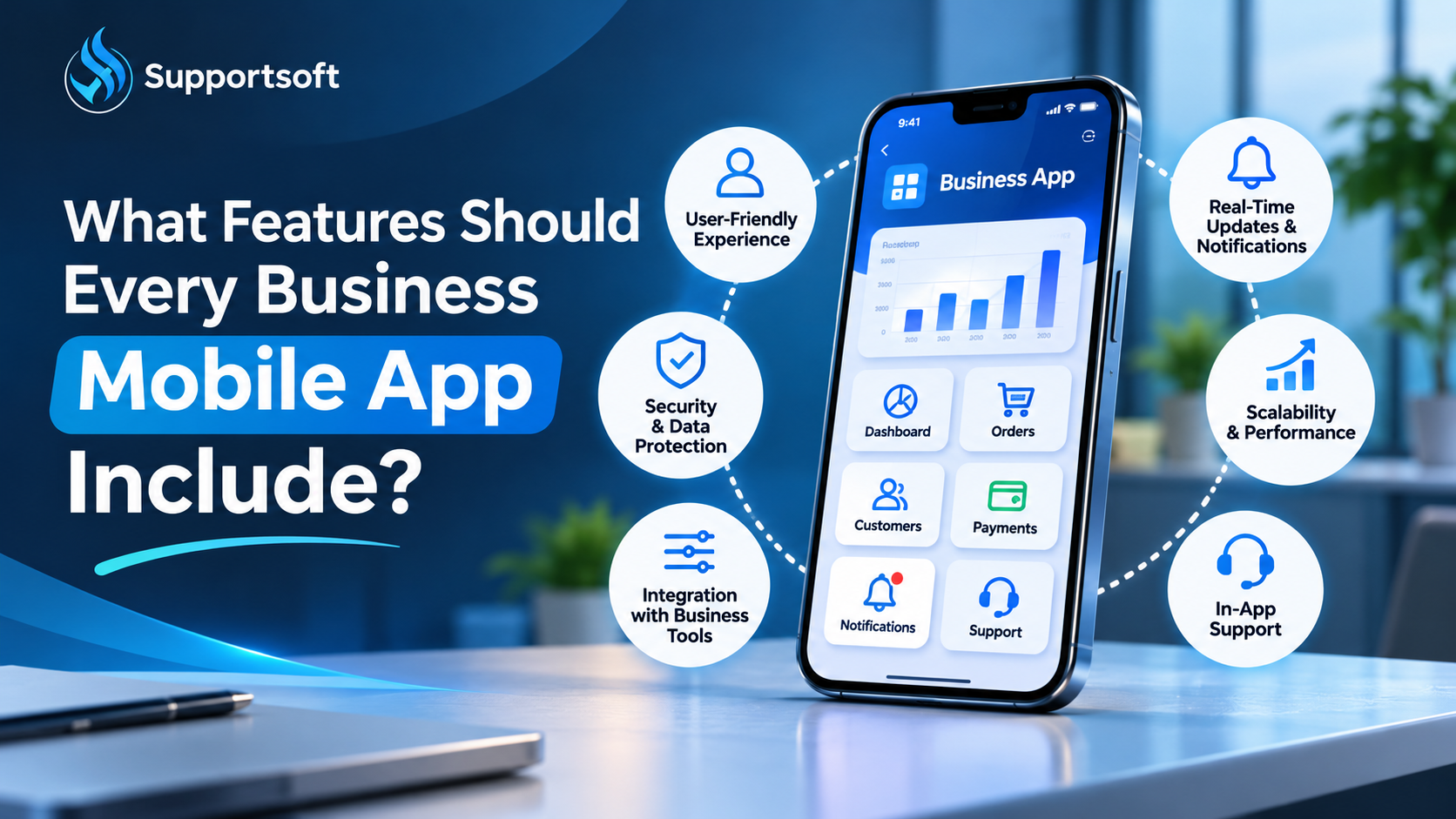
What Features Should Every Business Mobile App Include?

Supportsoft Nov 25, 2026
A successful business mobile application needs more than an attractive interface. It should provide practical functionality that helps users complete tasks, access services, communicate with the business and manage their accounts securely. Intelligent capabilities, such as personalised recommendations, automated assistance and predictive insights, can also improve the experience when they address a genuine user need. However, these additions should complement the application's core purpose rather than replace essential functionality.
Introduction
Mobile applications have become an important digital channel for businesses that want to make their products, services and operations more accessible. Customers may use an app to browse products, book appointments, make payments or contact support. Employees may depend on internal applications to manage tasks, access information and coordinate daily activities.
However, not every business application needs the same set of features. An e-commerce app has different requirements from a healthcare booking platform, a logistics application or an employee management system.
The right feature selection depends on the business model, target audience, user expectations and intended application workflow. Including too many functions can increase development complexity, while leaving out essential capabilities can make the application difficult to use.
This guide explains the essential features every business should consider, additional functionality for different industries and how to prioritise features when planning a mobile application.
User Registration and Secure Login
User registration and login allow people to access personalised features and manage their accounts. This is a fundamental requirement for applications that store customer information, process transactions or provide services linked to individual users.
A well-designed authentication system should make account access straightforward without compromising security.
Important Authentication Features
- Email registration: Allows users to create accounts using an email address.
- Mobile number verification: Confirms account ownership through a one-time password (OTP), where appropriate.
- Social sign-in: Provides login options through supported third-party identity providers.
- Password recovery: Helps users regain access when they forget their credentials.
- Multi-factor authentication: Adds another verification step for accounts that require stronger protection.
- Session management: Controls how users remain signed in and when sessions expire.
Businesses should select authentication methods according to the sensitivity of the information and the risks associated with their application. For example, a basic content application may require simpler access controls than a financial or healthcare platform.
User Profiles and Account Management
After signing in, users should be able to manage relevant personal information and application preferences.
A user profile provides a central place to view and update account details. It can also help businesses deliver more relevant services without requiring customers to enter the same information repeatedly.
Useful Profile Features
- Personal details and contact information
- Profile photo or business information, where relevant
- Saved addresses and delivery preferences
- Communication and notification settings
- Order, booking or transaction history
- Account security and password settings
- Account deactivation or deletion options
The information collected should be limited to what the application genuinely needs. Businesses should also explain how personal information is used and provide appropriate privacy controls.
Simple Navigation and User-Friendly Interface
Navigation determines how easily users can find information and complete tasks. Even an application with extensive functionality can perform poorly if its interface is confusing.
A clear user interface should make important actions easy to identify and reduce unnecessary steps.
Navigation Elements to Consider
- A clearly organised home screen
- Consistent menus and navigation controls
- Search functionality where users need to find content
- Clear labels for buttons and actions
- Logical grouping of related features
- Visible loading, success and error messages
- Consistent layouts across application screens
For example, a food delivery application should make it straightforward to browse restaurants, select items, review an order and complete payment. Users should not have to navigate through unrelated screens to finish a basic task.
Businesses should also consider accessibility, readable text, sufficient colour contrast and touch-friendly controls. The interface should work across different screen sizes and support the needs of users with varying abilities.
Push Notifications and In-App Alerts
Notifications help businesses communicate important updates without requiring users to open the application repeatedly.
They are particularly useful when an app supports bookings, orders, deliveries, appointments or time-sensitive activities.
Common Notification Types
- Order confirmation and delivery updates
- Appointment reminders and schedule changes
- Payment confirmations and transaction alerts
- Account security notifications
- New messages and support responses
- Relevant product or service announcements
- Updates about application activity
Businesses should distinguish between transactional notifications and promotional messages. Transactional alerts provide information about an activity the user has initiated, while promotional notifications communicate offers or marketing content.
Users should have control over non-essential notifications through clear preferences. Excessive or irrelevant alerts can lead people to disable notifications or uninstall the application.
Search, Filtering and Sorting
Search functionality helps users find specific products, services, records or information without browsing every available screen.
This feature becomes increasingly important when an application contains a large catalogue or multiple categories of content.
Search and Discovery Capabilities
- Keyword-based search
- Category and location filters
- Sorting by price, relevance, date or popularity
- Suggested search terms
- Search history, where useful
- Clear options to remove filters
- Relevant results for common search queries
For example, a property application may allow users to filter listings by location, price range and property type. An online retail app may provide filters for brand, size, availability and customer ratings.
Search results should be relevant, easy to scan and updated when users change their search criteria.
Secure Payment and Transaction Processing
Applications that sell products, accept bookings or collect payments may need integrated payment functionality.
A convenient payment process can reduce friction during checkout and make transactions easier to manage.
Payment Features to Consider
- Supported debit and credit card payments
- Approved third-party payment gateway integration
- Digital wallet support, where relevant
- Order summaries and payment confirmation
- Transaction history and downloadable receipts
- Refund and cancellation workflows
- Clear payment failure messages
Businesses should choose payment providers based on supported payment methods, transaction requirements, security capabilities and integration costs.
Payment information must be handled through appropriate security controls. Sensitive card data should not be stored directly by the application unless the business has the required technical and compliance arrangements. Using a suitable payment provider can reduce the amount of sensitive payment information the business handles.
In-App Messaging and Customer Support
Customers may need assistance while using an application. Providing a direct support channel helps them resolve questions without leaving the app.
The right support functionality depends on the complexity of the service and the level of assistance users require.
Customer Communication Options
- In-app contact forms
- Live chat with support representatives
- Frequently asked questions
- Support ticket creation and tracking
- Automated responses for common queries
- Email or telephone support links
- Conversation history, where appropriate
For applications with complex services, a support ticket system can help businesses track enquiries, assign requests and monitor resolution status.
Automated chat assistance may also handle routine questions, but users should have a clear route to human support when an issue requires individual attention.
Third-Party Integrations and Business System Connectivity
A business app often needs to exchange information with other software systems. Integrations allow the application to work as part of the organisation's wider technology environment rather than operating as an isolated product.
For example, an e-commerce app may connect with inventory and order management systems, while a service booking app may synchronise appointments with an existing scheduling platform.
Common Integration Requirements
- Customer relationship management (CRM) systems
- Enterprise resource planning (ERP) platforms
- Payment gateways
- Inventory and order management software
- Maps and location services
- Email and SMS communication providers
- Accounting and reporting systems
- Cloud storage and business databases
Integration requirements should be identified during planning. Businesses need to consider API availability, data synchronisation, access permissions, error handling and the ongoing maintenance of connected systems.
Admin Dashboard and Management Controls
Many business applications require an administrative interface that allows authorised staff to manage content, users, transactions and operational activities.
An admin dashboard is generally separate from the customer-facing mobile interface, although both may connect to the same backend system.
Common Administrative Functions
- User and account management
- Product, service or content management
- Order and booking management
- Role-based access permissions
- Customer enquiry management
- Notification and announcement controls
- Reports and activity summaries
- System configuration and audit records
For example, a booking application may allow administrators to manage service availability, review reservations, update business information and handle cancellations.
Administrative permissions should be assigned according to staff responsibilities. Not every employee needs access to sensitive customer records or system-wide settings.
Data Security, Privacy and Access Controls
Security should be considered throughout the application's design and development, rather than added only before launch.
Business applications may process personal information, payment-related data, location details, business records and confidential communications. Weak security controls can expose users and organisations to privacy breaches, account compromise and operational disruption.
Important Security Capabilities
- Encryption of data in transit and appropriate protection of stored data
- Secure authentication and authorisation
- Role-based access controls
- Secure API communication
- Input validation and protection against common vulnerabilities
- Session expiry and account security controls
- Logging and monitoring of relevant security events
- Regular dependency updates and security testing
Businesses operating in Australia should also assess their privacy obligations under applicable laws, including the Privacy Act 1988 where relevant. Requirements depend on the organisation, the information handled and its circumstances.
Security decisions should be based on a risk assessment of the application's data, users, integrations and operating environment.
Analytics and Performance Monitoring
Application analytics help businesses understand how people use their products and where improvements may be needed.
Instead of relying on assumptions, organisations can review usage patterns and performance indicators to make more informed product decisions.
Useful App Analytics
- Number of active users
- Registration and login activity
- Feature usage
- User journey completion rates
- Checkout or booking abandonment
- Application crashes and errors
- Screen loading and response times
- User retention and engagement
Analytics should be aligned with business objectives. An e-commerce business may focus on product discovery and completed purchases, while a service business may track successful bookings and appointment attendance.
Businesses should also establish suitable consent, privacy and data retention practices when collecting analytics information.
Location-Based Features and Maps
Location functionality can be valuable when an application provides services connected to physical places, deliveries or travel.
However, location access should only be requested when it supports a clear application purpose.
Examples of Location-Based Functionality
- Finding nearby stores or service providers
- Displaying delivery locations
- Tracking a delivery or service vehicle
- Showing directions to a business
- Identifying nearby appointments or facilities
- Providing location-specific service availability
Applications should explain why location permission is required and allow users to control access through device settings. Where possible, collect only the level of location information necessary for the requested feature.
Personalisation and Intelligent App Features
Some business applications can improve the user experience by adapting content, recommendations or assistance to individual needs.
These capabilities should be introduced when they provide measurable value and can be supported by appropriate data and technical infrastructure.
Examples of Intelligent Functionality
- Product or service recommendations based on relevant user preferences
- Personalised content and offers
- Smart search and suggestions
- Automated responses to common customer questions
- Predictive insights for business operations
- Personalised dashboards and content feeds
For example, a retail application may recommend products based on a customer's browsing activity and purchase history. A service platform may use previous booking patterns to suggest suitable appointment times.
Businesses should assess data quality, privacy, transparency and the reliability of automated recommendations before implementing these capabilities.
Offline Access and Data Synchronisation
Not every user has a reliable internet connection at all times. Depending on the application's purpose, selected features may need to remain available when a device is temporarily offline.
Offline functionality can be useful for field workers, delivery personnel, remote teams and applications used in areas with inconsistent connectivity.
Possible Offline Capabilities
- Access to previously downloaded information
- Locally saved forms and drafts
- Temporary storage of user actions
- Offline access to selected documents
- Synchronisation when connectivity returns
- Clear indicators showing whether information is current or pending upload
Offline access requires careful data management. The application should handle conflicting updates, failed synchronisation and device storage securely. Not every feature needs to work offline; businesses should prioritise functions based on real user workflows.
Which Mobile App Features Should Businesses Prioritise?
The features required for an application depend on its purpose. A business should distinguish between essential functionality, features that improve the experience and advanced capabilities that may be introduced later.
The following table provides a practical starting point.
| Feature Category | Core Functionality | Business Purpose |
|---|---|---|
| Account Management | Registration, login and user profiles | Provides secure, personalised access |
| User Experience | Navigation, search and accessibility | Makes tasks easier to complete |
| Communication | Notifications, messaging and support | Keeps users informed and connected |
| Transactions | Payments, bookings and order history | Supports business activities |
| Business Operations | Admin controls and system integrations | Connects the app with business workflows |
| Security and Analytics | Data protection, reporting and monitoring | Supports trust and continuous improvement |
Not every application needs all these functions in its first release. Businesses should prioritise the features required to deliver the main user journey and expand the application as requirements become clearer.
How Do Mobile App Features Differ Across Industries?
Although several capabilities are common across business applications, industry requirements influence which features deserve priority.
E-commerce and Retail Applications
Retail applications commonly require:
- Product catalogues and category browsing
- Search, filters and product comparisons
- Shopping carts and secure checkout
- Order tracking and purchase history
- Product reviews and ratings
- Loyalty programmes and offers
- Inventory availability
Healthcare Applications
Healthcare platforms may require:
- Patient registration and profiles
- Appointment booking and reminders
- Secure communication
- Access to relevant health information
- Document management
- Provider and facility directories
- Appropriate privacy and access controls
Healthcare applications need particular attention to sensitive information, user permissions and applicable regulatory requirements.
Logistics and Delivery Applications
Logistics applications may include:
- Order and delivery management
- Driver or staff accounts
- Location and route information
- Delivery status updates
- Proof of delivery
- Customer notifications
- Operational dashboards
Education Applications
Education platforms may need:
- Student and educator accounts
- Course and learning material access
- Lesson scheduling
- Progress tracking
- Assessment and quiz functionality
- Notifications and announcements
- Communication tools
Service and Appointment Booking Applications
Service-based businesses may require:
- Service listings
- Availability calendars
- Booking and rescheduling
- Payment functionality
- Appointment reminders
- Customer profiles
- Booking history and support
The examples above are starting points, not fixed feature lists. The final scope should reflect the application's users, business processes and technical requirements.
How to Choose the Right Features for Your Business Mobile App
Selecting features should begin with the business problem and the tasks users need to complete. A structured approach helps prevent unnecessary functionality from increasing the project's cost and complexity.
Step 1: Define the Application's Primary Purpose
Identify what the application needs to achieve. It might simplify customer bookings, support online purchases, improve internal communication or automate a business process.
A clearly defined purpose gives the project a basis for evaluating every proposed feature.
Step 2: Understand Your Target Users
Identify who will use the app, what they expect and which tasks they need to perform.
Consider their technical experience, device preferences, accessibility needs and common usage situations.
Step 3: Map the Main User Journeys
Document how users will move through the application.
For example, a booking journey might include:
- Open the application
- Browse available services
- Select a suitable date and time
- Enter the required details
- Confirm the booking
- Receive a confirmation notification
- Manage or cancel the booking if necessary
This exercise helps identify the features and integrations needed to support each stage.
Step 4: Separate Essential and Optional Features
Classify proposed functionality into three groups:
- Must-have: Required for the application's main purpose.
- Should-have: Improves usability or supports important secondary needs.
- Future enhancement: Can be considered after the initial release.
This prioritisation approach helps establish a manageable first version.
Step 5: Assess Technical and Security Requirements
Review the platforms, backend infrastructure, integrations, data requirements, access controls and expected usage levels.
A feature that appears simple from the user's perspective may require significant backend functionality. For example, real-time delivery tracking may depend on location services, APIs, data processing and notification infrastructure.
Step 6: Test the Proposed Functionality With Users
Wireframes, prototypes and usability testing can help businesses evaluate whether planned features make sense before full development begins.
Collect feedback on navigation, task completion and areas where users experience difficulty. Use those findings to refine the requirements.
Step 7: Plan for Maintenance and Future Improvements
A mobile application requires ongoing attention after launch. Businesses should plan for operating system updates, security maintenance, performance monitoring, bug fixes and changes in user expectations.
Feature planning should therefore consider not only what the app needs at launch but also how it can be maintained and expanded.
Conclusion
The right features can make a business mobile app more useful, secure and convenient for its intended audience. However, adding more functionality does not automatically create a better application. Businesses need to focus on the capabilities that support their users, business processes and long-term objectives.
Start with essential functions such as secure access, clear navigation, relevant communication, appropriate data protection and reliable performance. Then assess whether payments, integrations, location services, analytics, offline access or personalised functionality are necessary for the specific application.
Careful feature planning also helps establish a realistic development scope and provides a foundation for future improvements. Businesses planning a new application can explore Mobile App Development Services in Australia to assess suitable platforms, functionality, integrations and development requirements.
Frequently Asked Questions
1. What are the essential features of a business mobile app?
Most business mobile apps should consider secure user access, account management, intuitive navigation, relevant notifications, customer support, security controls and performance monitoring. Additional features such as payments, bookings, search and integrations depend on the application's purpose.
2. Does every business mobile app need user registration?
No. Registration is useful when an application needs to manage personal accounts, bookings, transactions or personalised information. A simple information-based application may allow users to access its content without creating an account.
3. Should a business app include payment functionality?
Payment functionality is important for applications that sell products, collect fees or accept paid bookings. Applications that only provide information or internal business tools may not need integrated payments.
4. Why are push notifications important in a mobile app?
Push notifications can inform users about relevant updates, reminders, transactions and service changes. They help maintain communication, but businesses should avoid sending excessive or irrelevant messages.
5. What security features should a business mobile app have?
Security requirements may include secure authentication, access controls, encryption, protected API communication, session management, input validation and regular security testing. The appropriate controls depend on the sensitivity of the information and the application's risk profile.
6. Does a mobile app need an admin dashboard?
An admin dashboard is useful when staff need to manage users, bookings, products, transactions, content or operational data. The level of administration required depends on the business workflow and the complexity of the application.
7. Can a business mobile app work without an internet connection?
Yes, selected features can work offline if the application is designed to store relevant information locally and synchronise changes when connectivity returns. However, functions such as online payments and live data updates generally require an internet connection.
8. How many features should a mobile app have at launch?
There is no universal number. The first release should include enough functionality to deliver the application's primary purpose and support its main user journeys. Additional features can be introduced as user needs and business priorities develop.
9. What is the difference between essential and advanced mobile app features?
Essential features support the application's main functions, such as account access, navigation or booking. Advanced features may include personalised recommendations, predictive analytics, automation and complex integrations. Their value depends on the business requirements.
10. Can businesses add new features after launching a mobile app?
Yes. Applications can be improved through planned updates that introduce new functionality, improve existing workflows, address technical issues and respond to user feedback. A maintainable architecture makes future changes easier to manage