
 Mobile App Development
 Software Development
 AI Solutions & Automation
 IoT Solutions
 Web Development
 Cyber Security
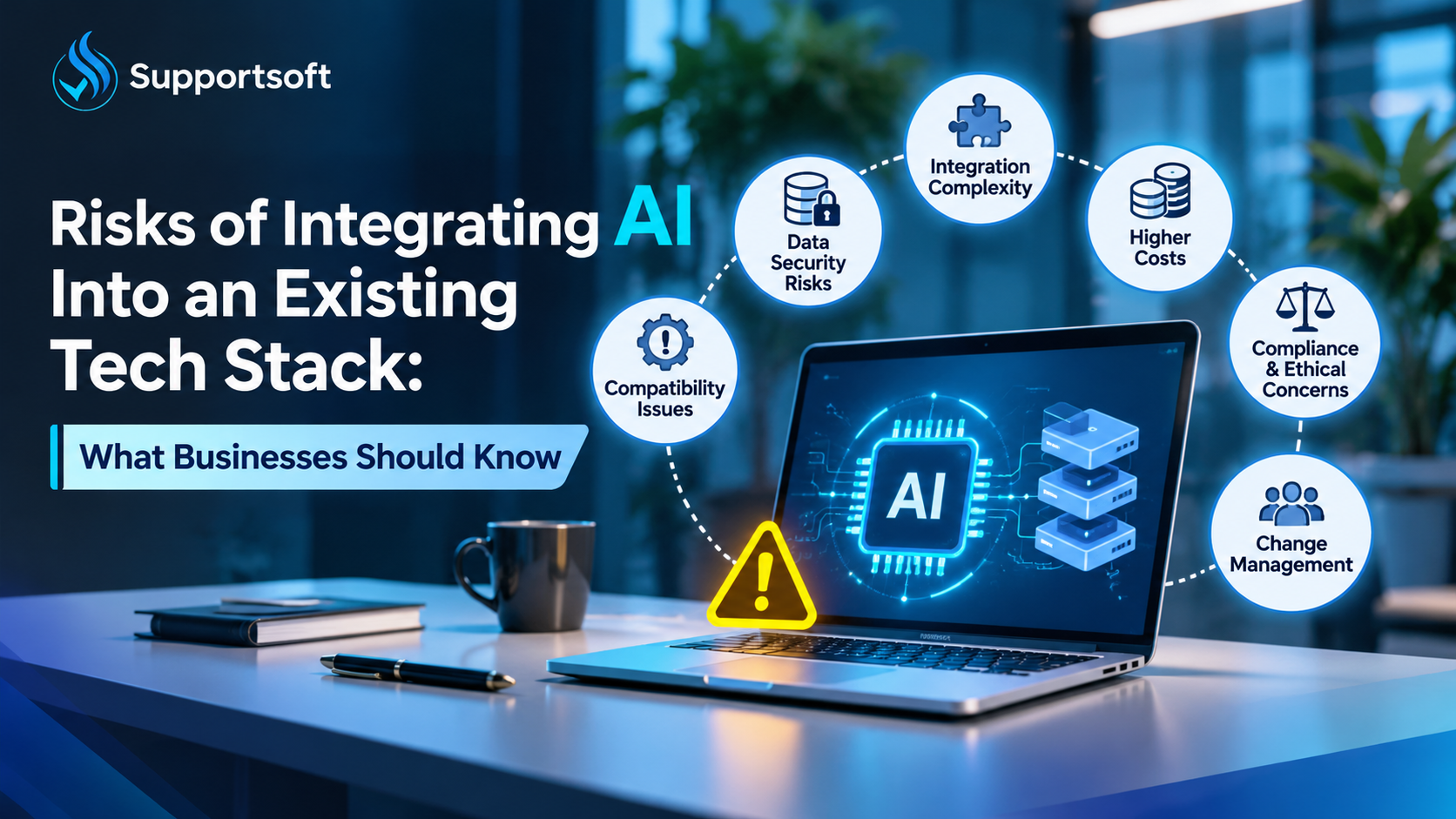
Risks of Integrating AI Into an Existing Tech Stack: What Businesses Should Know

Supportsoft Nov 25, 2026
Modern business software increasingly incorporates intelligent tools to automate tasks, analyse information and support operational decisions. However, introducing these capabilities into an established technology environment requires careful planning to avoid compatibility issues, data inconsistencies, security gaps and disruptions to existing workflows.
Introduction
Many businesses already operate through a combination of custom software, enterprise applications, customer relationship management (CRM) platforms, databases, cloud services and third-party tools.
Integrating artificial intelligence into this environment can improve existing workflows without requiring organisations to rebuild every application. For example, a business might introduce an AI assistant into its CRM system, connect an intelligent document-processing tool to an internal database or use machine learning to analyse information collected by an existing application.
However, these integrations can create technical challenges that are not always apparent during initial planning.
An AI solution may depend on data formats existing applications do not support, require additional computing resources or introduce external service dependencies. Poorly designed connections can also affect application performance, create security gaps and make future maintenance more complicated.
Understanding the risks of integrating AI into an existing tech stack helps businesses plan their implementation, protect existing systems and reduce avoidable technical problems.
This guide examines the major integration risks, explains why they occur and outlines practical measures businesses can use to manage them.
Compatibility Problems With Existing Software Systems
One of the first challenges businesses may encounter is compatibility between AI technologies and their existing software infrastructure.
Established business applications are often developed using different programming languages, frameworks, database structures and architectural approaches. An AI solution may require specific interfaces, data formats, libraries or infrastructure components that are not readily supported by the current environment.
For example, a business may want to introduce an AI-powered reporting feature into an older enterprise application. If the application does not expose suitable APIs or uses an outdated data structure, connecting the AI component may require additional development work.
Why Compatibility Problems Occur
Common causes include:
- Legacy applications with limited integration capabilities
- Different programming languages and technology frameworks
- Unsupported software versions or dependencies
- Incompatible data formats and structures
- Applications that lack documented APIs
- Infrastructure that cannot support the requirements of the AI solution
How Business Can Reduce Compatibility Risks
Before implementation, businesses should:
- Review the existing software architecture and technology stack
- Identify the applications that need to communicate with the AI component
- Check API availability, supported data formats and software dependencies
- Assess whether middleware or integration services are required
- Test compatibility through a proof of concept before full deployment
Data Integration and Synchronisation Issues
AI applications depend on relevant data to generate predictions, recommendations, classifications or responses. However, business information is frequently distributed across multiple applications and databases.
A CRM may contain customer records, an ERP platform may store financial and operational information, and a separate application may manage orders or inventory.
Connecting these sources to an AI system can introduce data integration challenges.
Common Data Integration Problems
Inconsistent data formats
Different applications may store information using different formats, naming conventions or structures. An AI system may not interpret these records currently without suitable transformation and validation.
Duplicate records
The same customer, transaction or business entity may appear in multiple systems. Duplicate information can affect the quality of the data supplied to an AI application.
Outdated information
If data is not synchronised properly, an AI system may generate outputs using outdated records.
Incomplete information
Missing fields or inconsistent records can reduce the reliability of AI-generated predictions and recommendations.
Data ownership conflicts
Different systems may maintain separate versions of the information, creating uncertainty about which source should be treated as authoritative.
How to Manage Data Integration Risks
Businesses should establish a clear data integration strategy before connecting AI capabilities to their applications.
This should include:
- Identifying authoritative data sources
- Defining common data formats and field structures
- Establishing data validation procedures
- Managing duplicate and incomplete records
- Defining synchronisation frequency
- Monitoring data pipelines for errors
- Documenting how information moves between systems
A well-designed data pipeline helps ensure that AI applications receive information that is relevant, consistent and sufficiently current for their intended purpose.
API Integration and Connectivity Failures
Application programming interfaces (APIs) allow different software components to exchange information and request services.
Many AI integrations depend on APIs to connect existing business applications with AI models, external platforms and internal databases.
However, API-related problems can interrupt communication between systems and affect the reliability of the overall solution.
Common API Integration Risks
Authentication failures
AI applications may be unable to access required services if authentication credentials expire, permissions change or token management is incorrectly configured.
Rate limits
External AI providers may impose request limits. If an application sends too many requests within a short period, some requests may be delayed or rejected.
API version changes
An external provider may update or discontinue an API version. Applications that depend on older endpoints may require modifications.
Network interruptions
Temporary connectivity problems can prevent applications from sending requests or receiving responses.
Incorrect error handling
If an API request fails and the application does not handle the error properly, users may receive incomplete results or experience application failures.
How Businesses Can Reduce API Risks
Businesses should consider the following measures:
- Use secure authentication and access-token management
- Monitor API usage and request limits
- Implement appropriate timeout and retry mechanisms
- Validate API responses before processing them
- Maintain compatibility with supported API versions
- Introduce structured error handling and logging
- Test integrations under realistic traffic conditions
API integrations should also be documented so that development teams can understand system dependencies.
Data Security and Access Control Vulnerabilities
Integration AI into existing software can expand the number of systems that process or access business information.
An AI application may require connections to internal databases, document repositories, customer records, employer information or third-party platforms. Every additional connection introduces access-control and security considerations.
For example, an AI assistant connected to a company’s document management system could retrieve information from internal files. If the integration does not enforce the same permissions as the original application, users might receive information they are not authorised to access.
Security Risks Businesses Should Consider
- Excessive permissions granted to AI services
- Insecure API endpoints
- Poorly protected authentication credentials
- Unencrypted data transfers
- Unauthorised access to connected databases
- Exposure of confidential information through AI outputs
- Security weaknesses in third-party integrations
- Insufficient monitoring of AI-related activity
Practical Security Controls
Businesses should apply security measures across the complete integration architecture.
These include:
- Least-privilege access: Give AI components only the permissions required for their intended functions.
- Authentication controls: Use secure authentication and appropriate credential management.
- Encryption: Protect sensitive information during transmission and storage.
- Permission enforcement: Ensure that AI applications respect the access permissions of the original business systems.
- Audit logging: Record relevant access requests, data transfers and system activities.
- Security testing: Assess APIs, integrations and connected infrastructure for vulnerabilities.
Security should be incorporated into the architecture from the beginning rather than treated as a final deployment task.
Performance Problems and Increased Infrastructure Load
AI functionality can introduce additional processing requirements into an existing technology environment.
Depending on the use case, an AI application may need to process large datasets, send requests to external models, generate embeddings, perform searches or execute multiple tasks before returning results.
These activities can increase infrastructure demand and affect the performance of connected applications.
How AI Integrations Can Affect Application Performance
Increased response times
An application may take longer to respond when it needs to send data to an AI service, wait for processing and retrieve the result.
Higher database demand
AI features may generate additional database queries, particularly when retrieving information from multiple sources.
Increased memory and computing requirements
Some AI workloads require additional CPU, GPU or memory resources, depending on the model and processing method.
Resource competition
AI tasks may compete with existing business applications for shared infrastructure resources.
Traffic spikes
If many users access an AI feature simultaneously, request volumes can increase beyond the capacity of the existing infrastructure.
How to Manage Performance Risks
Businesses should:
- Evaluate expected AI workload requirements
- Conduct load and performance testing
- Monitor CPU, memory, storage and network utilisation
- Use caching where appropriate
- Apply request queues and workload management
- Consider asynchronous processing for longer-running tasks
- Scale infrastructure according to actual demand
AI workloads should be evaluated separately where necessary so that resource-intensive processes do not unnecessarily affect essential business applications.
Increased Latency and User Experience Problems
Latency refers to the time taken for a system to process a request and return a response.
AI integrations can introduce additional processing stages, particularly when an application communicates with an external model or retrieves information from several connected systems.
For example, an AI-powered customer support feature might need to:
- Receive a customer enquiry
- Authenticate the request
- Retrieve relevant customer information
- Search an internal knowledge base
- Send the required context to an AI model
- Process the model's response
- Return the result to the application
Each stage can contribute to the overall response time.
Why Latency Matters
Slow responses can affect:
- Customer support interactions
- Real-time business applications
- Employee productivity
- Transaction processing
- Mobile application usability
- User confidence in automated features
Ways to Manage Latency
Businesses can reduce unnecessary delays by:
- Selecting suitable AI models for the task
- Reducing unnecessary data transfers
- Optimising API requests
- Using caching for frequently accessed information
- Keeping relevant services geographically and technically close where practical
- Processing non-urgent tasks asynchronously
- Setting response-time expectations and fallback behaviour
Not every AI feature needs an immediate response. Businesses should distinguish between real-time functionality and background processing when designing the integration.
Vendor Dependency and Third-Party Service Risks
Many AI integrations rely on external providers for model access, hosting, infrasturce or specialised services.
This can reduce the need to develop and maintain every AI component internally. However, it also introduces dependencies that businesses need to manage.
For example, an application may rely on an external AI provider to generate responses. Changes to the provider’s pricing, API availability, model behaviour or service terms could affect the business applications.
Key Vendor Dependency Risks
- Changes to API functionality or pricing
- Service outages and availability limitations
- Provider-specific technical dependencies
- Changes in model performance or output behaviour
- Data processing and retention arrangements
- Difficulty migrating to another provider
- Limited control over external service updates
How to Reduce Vendor Lock-In
Businesses should consider:
- Reviewing provider terms and service-level commitments
- Understanding data processing and retention arrangements
- Documenting provider-specific dependencies
- Designing integration layers that reduce unnecessary coupling
- Evaluating alternative providers where appropriate
- Maintaining a fallback strategy for critical functionality
- Reviewing the long-term cost of external AI services
Using an external AI provider does not automatically create an unacceptable risk. The important consideration is whether the business understands the dependency and has a realistic strategy for managing it.
Increased Development Complexity and Maintenance Requirements
AI integration can make an existingtechnology stack more complex.
A traditional software application may already depend on databases, APIs, authentication services and external platforms. AI can add model endpoints, data pipelines, vector databases, monitoring tools and additional processing services.
These components need to work together reliably.
What Increases Maintenance Complexity?
- Additional software dependencies
- Multiple external service connections
- Model and API version changes
- Data pipeline maintenance
- New monitoring requirements
- Different development and testing environments
- More complicated troubleshooting procedures
For example, an AI feature may stop producing reliable results after a change to the underlying data structure, even when the main application continues to operate normally.
This means that maintenance teams may need to monitor both convectional software behaviour and AI-specific performance.
How Businesses Can Manage Complexity
A maintainable integration architecture should include:
- Clear separation between AI components and core business application logic
- Documented APIs and system dependencies
- Version control for integration configurations
- Automated testing for important workflows
- Monitoring for application and AI service failures
- Defined ownership of connected components
- Regular reviews of third-party dependencies
Businesses should also ensure that internal teams or development partners have the technical knowledge required to maintain the complete solution.
Unexpected Costs and Resource Requirements
AI integration costs are not limited to initial development.
Businesses may need to account for infrastructure, model usage, data preparation, integration development, security testing and ongoing maintenance.
The total cost depends on the existing technology environment, the complexity of the AI feature and the selected implementation approach.
Common Sources of Additional Costs
| Cost area | Why it may increase costs |
|---|---|
| System integration | Existing applications may require API modifications or middleware. |
| Data preparation | Information may need cleaning, transformation and validation. |
| AI model usage | External model requests may generate recurring usage charges. |
| Infrastructure | Additional computing, storage and network resources may be required. |
| Security testing | New connections and data flows require security assessment. |
| Monitoring | AI performance and integration health need ongoing oversight. |
| Maintenance | APIs, models and connected applications may require updates. |
How to Control AI Integration Costs
Businesses should estimate the complete implementation and operating costs committing to deployment.
A practical assessment should consider:
- Initial development and integration effort
- Infrastructure requirements
- Expected AI request volumes
- External provider pricing
- Ongoing monitoring and maintenance
- Potential system upgrades
- Costs associated with scaling
Integration Testing and Deployment Risks
An AI feature may work correctly in isolation but fail when connected to a complete business application.
This can happen because the production environment includes real users, different data conditions, existing workflows, network dependencies and application configurations that may not be represented in development testing.
Testing should therefore cover the complete integration rather than only the AI model.
Important Testing Areas
Functional testing
Check whether the AI feature performs its intended tasks and exchanges information correctly with connected applications.
Integration testing
Verify that APIs, databases, authentication services and external providers communicate as expected.
Performance testing
Evaluate response times, concurrent requests and infrastructure usage under realistic workloads.
Security testing
Assess authentication, access permissions, data transfers and exposed interfaces.
Failure testing
Check how the application behaves when an API becomes unavailable, a request times out or an AI service returns an unexpected response.
User acceptance testing
Confirm that the integrated functionality supports actual business workflows and user requirements.
Use Phased Deployment
Instead of connecting AI functionality to every business process at once, organisations can introduce it gradually.
A controlled rollout may involve:
- Testing the integration in a development environment
- Validating it with representative data
- Running a proof of concept with a limited use case
- Releasing the feature to a small user group
- Monitoring performance and collecting feedback
- Expanding deployment after resolving identified issues
This approach makes it easier to identify integration problems before they affect critical business operations.
How to Reduce the Risks of Integrating AI Into an Existing Tech Stack
Managing AI integration risks requires a structured approach that considers business requirements and technical dependencies together.
Businesses planning to introduce intelligent capabilities into their applications can explore AI Development and Integration Services in Australia to assess suitable technical approaches for their existing software environment.
The following practices can help organisations plan a more reliable implementation.
Assess the Existing Technology Stack
Start by documenting the applications, databases, APIs, infrastructure and external services currently used by the business.
Identify which systems need to connect to the AI component and whether they have the technical capabilities to support the integration.
Define the Integration Requirements
Clarify what the AI feature needs to do and which systems it must interact with.
Requirements should cover:
- Intended functionality
- Data access requirements
- User permissions
- Expected response times
- Integration dependencies
- Infrastructure requirements
- Security and privacy controls
Choose an Appropriate Integration Architecture
The architecture should reflect the existing software environment and the intended AI workload.
Depending on the requirements, businesses may use APIs, middleware, event-driven architecture, dedicated integration services or other suitable approaches.
The objective is to connect the AI component without introducing unnecessary dependencies into core business applications.
Establish Data Governance and Security Controls
Define how information will be accessed, transferred, stored and processed.
Ensure that the AI application follows appropriate permissions and that sensitive information is protected throughout the integration.
Validate Through a Proof of Concept
Test the proposed integration using a limited and clearly defined use case.
A proof of concept can help reveal compatibility issues, data limitations, performance constraints and unexpected development requirements.
Monitor the Integrated System
After deployment, monitor both the existing application and the AI components.
Useful monitoring areas include:
- API availability and error rates
- Application response times
- Data pipeline failures
- AI request volumes
- Infrastructure utilisation
- Unexpected access attempts
- Model output quality where relevant
Plan for Ongoing Maintenance
AI integrations should be reviewed when connected applications, APIs, infrastructure or external services change.
Businesses should establish responsibility for updates, troubleshooting, security reviews and performance monitoring.
When Should Businesses Consider Updating Their Existing Tech Stack?
Not every AI integration requires replacing existing software. In many situations, APIs, middleware or targeted application modifications can provide a practical way to introduce AI functionality.
However, some environments may require modernisation before they can support the intended solution reliably.
Businesses should consider reviewing their technology stack when:
- Critical applications cannot expose the data or functionality required by AI systems
- Existing APIs are unsupported or difficult to maintain
- Legacy infrastructure cannot meet performance requirements
- Security controls cannot be extended effectively to new integrations
- Data is fragmented across systems with no reliable integration process
- Maintenance costs are increasing because of outdated dependencies
- The architecture cannot support future application requirements
The decision should be based on technical feasibility, business priorities, security requirements and long-term operating costs.
A targeted upgrade may be sufficient. A complete replacement should only be considered when the existing architecture cannot reasonably support the required capabilities.
Questions Businesses Should Ask Before Integrating AI
Before starting an AI integration project, decision-makers should ask the following questions:
- Which existing applications need to connect to the AI solution?
- Do those applications provide suitable APIs or integration interfaces?
- Is the required business data accurate, accessible and properly structured?
- What information will the AI component be permitted to access?
- Will the integration affect existing application performance?
- What happens if the AI provider or an API becomes unavailable?
- How will the system handle incorrect or incomplete responses?
- What infrastructure and ongoing operating costs should be expected?
- Who will maintain the integration after deployment?
- How will the business measure whether the integration is working as intended?
These questions help identify technical and operational requirements before development begins.
Conclusion
Integrating artificial intelligence into an existing technology stack can help businesses extend application functionality, automate workflows and make better use of available data. However, successful implementation depends on more than selecting an AI model or connecting an external service.
Compatibility, data quality, API reliability, security, performance, infrastructure costs and ongoing maintenance all influence whether an integration will operate effectively.
Businesses should assess their existing architecture, define clear integration requirements, validate the proposed solution through testing and introduce AI functionality in controlled stages.
A structured approach helps organisations reduce technical disruption while making their existing software environment more capable and adaptable.
Frequently Asked Questions
1. What are the main risks of integrating AI into an existing tech stack?
The main risks include software compatibility problems, data synchronisation issues, API failures, security vulnerabilities, increased infrastructure demand, latency, vendor dependency, maintenance complexity and unexpected costs.
The level of risk depends on the existing architecture and the intended AI application.
2. Can AI be integrated into legacy business software?
Yes. AI can often be connected to legacy applications through APIs, middleware, integration services or custom connectors.
However, older systems may require modifications if they lack suitable interfaces, use unsupported technologies or cannot provide data in a compatible format.
3. Does AI integration require replacing existing software?
No. Many businesses can introduce AI capabilities without replacing their entire technology stack.
The appropriate approach depends on system compatibility, available integration interfaces, infrastructure capacity and the requirements of the AI feature.
4. How does AI integration affect existing application performance?
AI integration can increase processing requirements, database activity, network traffic and response times.
The impact depends on the model, workload, architecture and infrastructure. Performance testing and monitoring can help identify and manage these issues.
5. What are the security risks of connecting AI to business applications?
Security risks include excessive data access, insecure APIs, exposed credentials, unauthorised information retrieval and weaknesses in third-party services.
Businesses should implement least-privilege access, secure authentication, encryption, permission checks and appropriate monitoring.
6. How can businesses prevent data synchronisation problems during AI integration?
Businesses should identify authoritative data sources, standardise data formats, validate incoming information and establish clear synchronisation procedures.
Monitoring data pipelines can also help detect missing, duplicated or outdated records.
7. Is it better to use a third-party AI API or build a custom AI solution?
Neither option is universally better.
Third-party APIs can provide access to existing AI capabilities without developing and hosting every component internally. Custom solutions may offer greater control over specific functionality and integration requirements but can involve additional development and maintenance responsibilities.
The decision should reflect business needs, data requirements, technical capabilities and long-term costs.
8. How much does AI integration cost for an existing software system?
The cost varies according to the complexity of the existing technology stack, data readiness, required integrations, AI model selection, infrastructure and testing requirements.
A technical assessment and proof of concept can help businesses develop a more realistic estimate.
9. How can businesses test AI integration before deployment?
Businesses can use a proof of concept, integration testing, security testing, performance testing and user acceptance testing.
Testing should cover the complete workflow, including data retrieval, API communication, AI processing and how the application handles failures.
10. How can businesses maintain AI integrations after deployment?
Ongoing maintenance should include monitoring API availability, reviewing security permissions, managing software and model updates, checking data pipelines, assessing performance and resolving integration errors.
Businesses should also document system dependencies and establish clear maintenance responsibilities