
 Mobile App Development
 Software Development
 AI Solutions & Automation
 IoT Solutions
 Web Development
 Cyber Security
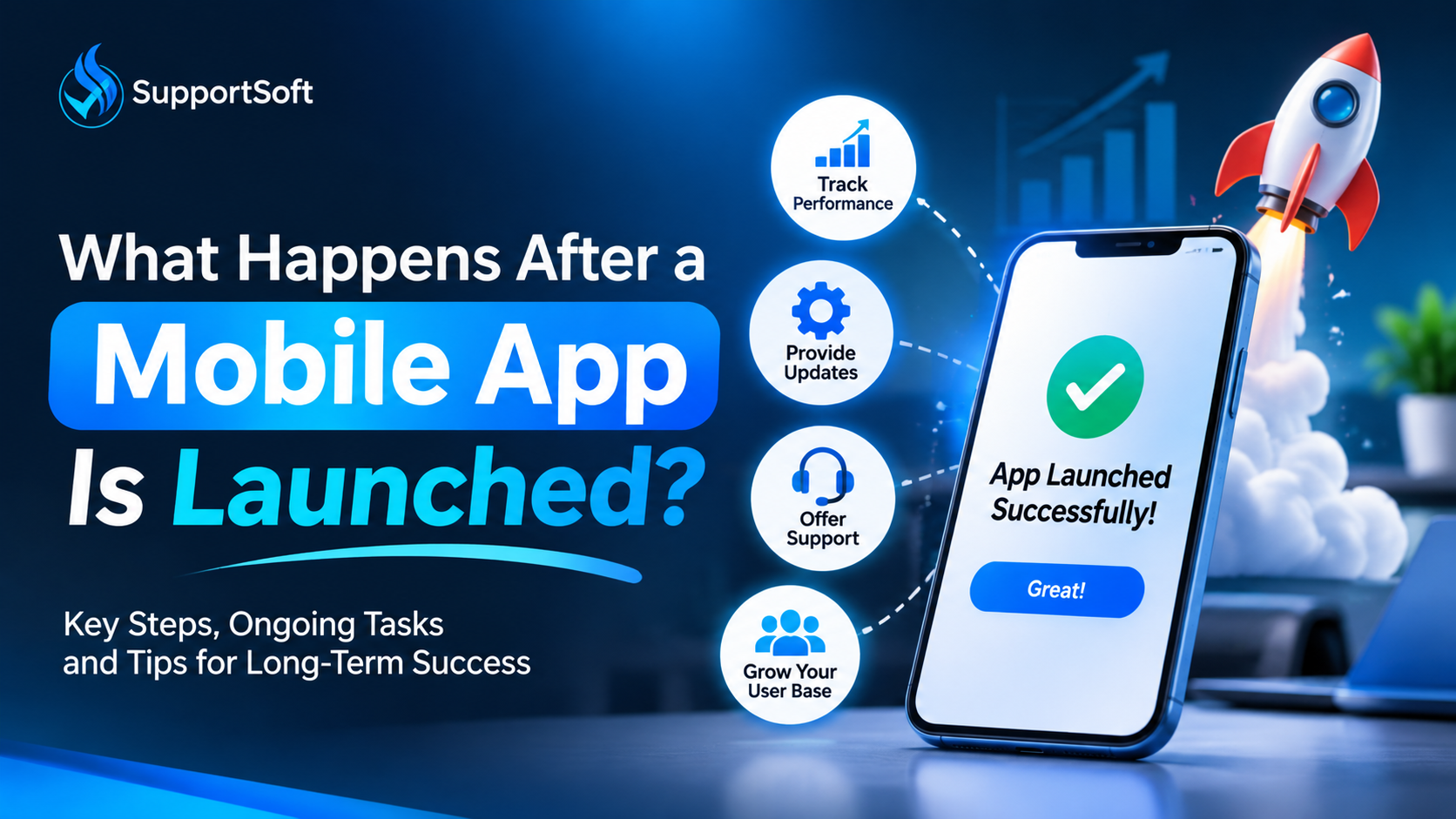
What Happens After a Mobile App Is Launched?

Supportsoft Nov 23, 2026
Artificial intelligence is increasingly being used to support mobile app management after release. AI-powered analytics can help businesses identify usage patterns, while automated systems can assist with customer support, personalised recommendations and anomaly detection.
Machine learning can also help analyse application performance data and identify patterns that may require investigation. However, AI does not replace software testing, technical maintenance or human decision-making. Businesses should use it where it provides practical value and ensure that automated outputs are reviewed appropriately.
Introduction
A mobile app launch involves more than publishing an application on the Apple App Store or Google Play Store. After release, businesses need to ensure that users can download, install and access the application successfully.
They must also monitor crashes, loading times, login functionality, integrations, security and user engagement. If users encounter problems, the business needs a process for reporting, investigating and resolving them.
The post-launch lifecycle generally includes:
- Verifying the application after release
- Monitoring app performance and stability
- Tracking downloads and user engagement
- Collecting and analysing user feedback
- Fixing bugs and compatibility issues
- Releasing updates and improvements
- Maintaining security and data protection
- Supporting users and improving retention
- Planning future features and product development
Understanding these activities helps businesses prepare for the responsibilities that continue after an application goes live.
Verify the App After Its Release
The first step after launching a mobile app is to verify that the released version works as expected.
Even when an application passes testing before deployment, the live environment can introduce different conditions. Store distribution, device configurations, network conditions and production integrations may affect how the application behaves.
What Should Businesses Check After Launch?
Businesses should perform a post-release verification process covering the application's essential functions.
Important checks include:
- Installation: Confirm that users can download and install the application.
- Registration and login: Test account creation, authentication and password recovery.
- Core functionality: Verify that the main features work correctly.
- Navigation: Check that users can move between screens without errors.
- Payments: If the app supports transactions, verify payment processing and confirmation workflows.
- Notifications: Confirm that push notifications are delivered correctly.
- Integrations: Check connections with APIs, databases, payment gateways and other third-party services.
- Permissions: Ensure that camera, location, storage and other permissions behave as intended.
- Different devices: Test the application on supported device types and operating system versions.
Why Is Post-Release Verification Important?
A problem affecting a core feature can prevent users from completing important tasks. For example, a booking application may install successfully but fail when users attempt to confirm an appointment.
Identifying such problems early helps businesses prioritise critical fixes and reduce disruption to users.
Monitor App Performance and Stability
Once users begin interacting with an application, businesses need to monitor its technical performance.
An app that works well during controlled testing may experience different conditions when accessed by a larger or more diverse user base.
Performance monitoring helps identify issues that affect reliability and usability.
Key App Performance Metrics to Monitor
| Metric | What it helps measure |
|---|---|
| Crash rate | How frequently the app closes unexpectedly |
| App launch time | How long the application takes to open |
| Screen loading time | How quickly important screens become available |
| API response time | How quickly backend services respond |
| Error rate | How frequently application requests or operations fail |
| App availability | Whether essential services are accessible |
| Battery and resource usage | How efficiently the app uses device resources |
| Network performance | How the app behaves under different connectivity conditions |
How Can Businesses Monitor App Performance?
Businesses can use application performance monitoring tools, crash reporting platforms, server logs and analytics services to review application behaviour.
These tools can help development teams:
- Identify recurring crashes
- Investigate slow-loading screens
- Monitor backend response times
- Detect failed API requests
- Review errors across device types
- Compare performance across app versions
Performance monitoring should be continuous. A single successful test after release does not guarantee that the application will remain reliable as usage and technical requirements change.
Track Downloads, User Behaviour and App Analytics
After launch, businesses need to understand how people discover and use their applications.
App analytics provides information about user acquisition, engagement and feature usage. It helps businesses make decisions based on actual application activity rather than assumptions made during planning.
Important Mobile App Analytics Metrics
Downloads and installations
Track how many people download and install the application. These metrics provide an initial view of acquisition, although downloads alone do not indicate whether users find the app valuable.
Active users
Daily active users (DAU) and monthly active users (MAU) help businesses understand how frequently people return to the application.
Session duration
This measures how long users spend in the application during a session. It should be interpreted in context because longer sessions are not necessarily better for every app.
Feature usage
Track which features users access most frequently and which receive little engagement.
Conversion rate
Measure how many users complete important actions, such as registering, booking an appointment, purchasing a product or submitting a form.
Retention rate
Review how many users return after their first visit or installation.
Uninstall rate
Monitor how frequently users remove the application. A rising uninstall rate may indicate problems with usability, performance, relevance or user expectations.
How Analytics Helps Improve an App
Analytics can help businesses identify opportunities for improvement.
For example:
- Low registration completion may indicate an unnecessarily complicated sign-up process
- Limited use of a key feature may suggest that users cannot find it easily
- High abandonment during checkout may indicate friction in the purchasing process
- Reduced returning users may suggest that the app needs better engagement or a more useful experience
Analytics should be interpreted alongside user feedback and technical information. A metric alone rarely explains why users behave in a particular way.
4. Collect and Analyse User Feedback
Real users can reveal usability problems, missing functionality and improvement opportunities that may not become apparent during development.
Businesses should establish ways for users to report issues and share their experiences.
Common Sources of Mobile App Feedback
- App Store reviews
- Google Play Store reviews
- In-app feedback forms
- Customer support enquiries
- Email feedback
- User surveys
- Social media comments
- Customer interviews and usability sessions
What Should Businesses Look for in Feedback?
Feedback should be organised into useful categories rather than treated as a collection of unrelated comments.
Common categories include:
- Technical issues: Crashes, failed logins and unexpected errors.
- Usability concerns: Confusing navigation or difficult interactions.
- Feature requests: Suggestions for additional functionality.
- Performance complaints: Slow loading, freezing or excessive resource usage.
- Account problems: Registration, authentication or profile management issues.
- Payment concerns: Failed transactions or unclear payment processes.
Prioritise Feedback Based on Impact
Not every suggestion needs to become an immediate development task.
Businesses should consider:
- How many users are affected?
- Does the issue prevent users from completing an important task?
- Does it create a security, privacy or financial risk?
- Is it a recurring problem?
- Does the proposed improvement support business objectives?
This approach helps development teams focus on changes that provide meaningful value.
5. Fix Bugs and Resolve Technical Issues
Bug fixing is one of the most important responsibilities after a mobile application has been launched.
A bug may affect a single screen, a particular device configuration or an important application workflow. Some issues may be minor, while others can prevent users from accessing essential functionality.
Common Mobile App Issues After Launch
- Unexpected application crashes
- Login or registration failures
- Incorrect data displayed on screens
- Payment processing errors
- Push notifications not being delivered
- Slow application response
- Compatibility problems with certain devices
- Failed connections to backend services
- Incorrect behaviour after an operating system update
How Should Businesses Manage App Bugs?
A structured bug management process helps ensure that problems are investigated and resolved consistently.
A typical process includes:
- Issue reporting: Record the problem through monitoring tools, support channels or internal testing.
- Reproduction: Identify the steps and conditions required to recreate the issue.
- Investigation: Review logs, error reports and relevant application code.
- Prioritisation: Assess the severity and business impact.
- Development: Implement the required correction.
- Testing: Verify the fix and check for unintended effects.
- Release: Deploy the corrected version through the appropriate release process.
- Verification: Confirm that the issue is resolved in the production environment.
Critical issues involving security, data integrity or essential application functions should receive appropriate priority.
6. Release App Updates and New Features
Mobile applications need updates to remain compatible, reliable and useful as user expectations and technical environments evolve.
An update may address a technical problem, improve an existing feature or introduce new functionality.
Types of Mobile App Updates
| Update type | Purpose |
|---|---|
| Bug-fix updates | Resolve identified defects |
| Security updates | Address vulnerabilities and security concerns |
| Compatibility updates | Support relevant devices and operating system changes |
| Performance updates | Improve speed, responsiveness and resource usage |
| Feature updates | Introduce new or improved functionality |
| User experience updates | Improve navigation, accessibility and usability |
How Should Businesses Plan App Updates?
Updates should be based on user needs, technical requirements and business priorities.
Before releasing an update, businesses should:
- Define the changes included in the release
- Assess potential effects on existing functionality
- Test the updated application
- Verify backend and API compatibility
- Review security implications
- Prepare release notes where appropriate
- Monitor the application after deployment
A regular release process makes it easier to manage changes without introducing unnecessary disruption.
7. Maintain App Security and Protect User Data
Security remains important throughout the life of a mobile application.
After launch, businesses must continue reviewing how the application handles user information, authentication, data transmission and third-party integrations.
Security requirements may also change as vulnerabilities are discovered and operating systems, libraries and dependencies receive updates.
Important Post-Launch Security Activities
Apply security updates
Review and apply relevant updates to application dependencies, frameworks and backend components.
Review authentication
Check login mechanisms, session handling, password recovery and access permissions.
Protect sensitive information
Ensure that sensitive information is handled appropriately during storage and transmission.
Monitor suspicious activity
Review relevant logs and monitoring alerts for unusual access patterns or potentially harmful behaviour.
Review third-party integrations
Check that external services and APIs continue to meet security and compatibility requirements.
Manage permissions
Ensure the application requests only the permissions it needs and handles them appropriately.
Maintain backups and recovery procedures
Where application data is stored by the business, appropriate backup and recovery arrangements should be maintained and tested.
Security should be treated as an ongoing responsibility rather than a one-time activity completed before launch.
8. Improve User Experience and Retention
An application may attract downloads after release but still struggle to retain users.
Retention depends on whether the app continues to provide value, works reliably and makes important tasks convenient.
Businesses should review user behaviour and feedback to understand where the experience can be improved.
Ways to Improve Mobile App User Experience
- Simplify complicated navigation
- Reduce unnecessary registration steps
- Improve screen loading times
- Make important features easier to discover
- Provide clear instructions and error messages
- Improve accessibility
- Review the onboarding experience
- Ensure that notifications are relevant and appropriately timed
- Remove unnecessary interactions from important workflows
Why Does User Retention Matter?
User retention provides insight into whether people continue using an application after their initial interaction.
A business should investigate whether users return to complete meaningful tasks, rather than focusing only on installation numbers.
For example, a service-booking app should assess whether customers return to make additional bookings, manage appointments or use other relevant features.
Improving retention usually requires a combination of usability improvements, reliable functionality, relevant content and appropriate customer engagement.
9. Provide Ongoing User Support
Users may need assistance after installing an application, particularly when it involves accounts, payments, bookings, business processes or personal information.
A support process helps businesses handle questions and technical problems efficiently.
What Should Mobile App Support Include?
- Help with registration and login
- Guidance on using important features
- Assistance with account settings
- Reporting technical problems
- Support for transaction-related issues
- Information about app updates
- A process for escalating serious technical issues
Establish a Clear Issue Resolution Process
Businesses should define how support requests are received, recorded, prioritised and resolved.
For example, a user reporting an unsuccessful payment may need a different response from someone requesting a new feature.
A clear support process helps teams distinguish between technical defects, user education needs and requests for future improvements.
Support enquiries should also be reviewed regularly because recurring questions may reveal a usability problem or a gap in the application's instructions.
10. Review App Store Performance and User Ratings
App store performance is another important part of post-launch management.
The Apple App Store and Google Play Store provide information that can help businesses understand how users respond to their applications.
What Should Businesses Monitor?
- User ratings and reviews
- Review trends over time
- Installation and acquisition information
- App version adoption where available
- Store listing performance
- Compatibility and release requirements
- Policy or submission-related notifications
Respond to Reviews Professionally
Businesses should review user comments and respond appropriately.
A useful response process involves:
- Acknowledging legitimate concerns
- Providing clear guidance where appropriate
- Avoiding the disclosure of personal or account information
- Escalating technical complaints to the development team
- Identifying recurring feedback themes
Ratings should not be treated as the only measure of app quality. They are one source of feedback and should be considered alongside analytics, support enquiries and technical performance.
11. Plan Future Improvements and App Scalability
An application's requirements may change as a business grows.
New customer needs, additional services, higher usage levels and changing business processes may require updates to the application's features or technical architecture.
Businesses should review their app roadmap periodically to determine which improvements are necessary.
Areas to Review for Future Development
New functionality
Identify features that address genuine user requirements or improve important business workflows.
Backend scalability
Review whether servers, databases and APIs can support expected usage as the user base grows.
Third-party integrations
Assess whether additional integrations are needed with payment systems, CRM platforms, booking tools or other business applications.
Application architecture
Review whether the current architecture can support new features without creating unnecessary complexity.
User experience
Continue evaluating navigation, accessibility and feature usability as the application evolves.
Emerging technologies
Consider whether technologies such as AI, automation or connected-device integration provide practical value for the application.
Businesses should prioritise improvements according to user needs, technical feasibility, available resources and measurable business objectives.
12. Establish a Long-Term App Maintenance Plan
Post-launch activities are easier to manage when businesses establish a clear maintenance plan.
Without defined responsibilities, updates and technical issues may be handled reactively, increasing the likelihood that important tasks are overlooked.
What Should a Mobile App Maintenance Plan Include?
| Maintenance area | Activities |
|---|---|
| Performance monitoring | Review crashes, loading times and application errors |
| Bug management | Record, prioritise and resolve defects |
| Security | Review vulnerabilities, permissions and dependencies |
| Compatibility | Assess support for relevant devices and operating systems |
| Updates | Plan and test application releases |
| Backend maintenance | Monitor APIs, databases and server infrastructure |
| User support | Handle enquiries and technical complaints |
| Analytics | Review engagement, retention and feature usage |
| Future development | Prioritise improvements and new requirements |
Who Is Responsible for Post-Launch Maintenance?
Responsibilities depend on the agreement between the business and its development team.
Some businesses maintain an internal technical team, while others work with an external development partner.
Before launch, businesses should clarify:
- Who monitors application performance?
- Who investigates reported bugs?
- Who manages updates?
- Who handles backend infrastructure?
- How are urgent issues escalated?
- What support is included in the development agreement?
- Which activities require additional work or fees?
For businesses planning a new application or improving an existing one, Mobile app Development Services in Australia can provide a starting point for discussing development requirements, technical improvements and ongoing application needs.
13. How Can Businesses Measure the Success of a Mobile App After Launch?
A successful launch should be evaluated through measurable outcomes rather than downloads alone.
Businesses should identify performance indicators that reflect the purpose of their application.
Important Post-Launch KPIs
| KPI | What it measures |
|---|---|
| Downloads and installations | Initial acquisition |
| Daily and monthly active users | Application activity |
| User retention rate | How effectively the app retains users |
| Crash-free sessions | Application stability |
| App response time | Performance and responsiveness |
| Conversion rate | Completion of important user actions |
| Feature adoption | Usage of specific functionality |
| Uninstall rate | Users removing the application |
| Support request volume | Frequency of reported problems |
| Customer satisfaction | User experience and perceived value |
Set KPIs According to Business Objectives
Different applications require different measures of success.
For example:
- E-commerce apps: Purchase conversion, repeat purchases and checkout completion
- Booking apps: Completed bookings, booking abandonment and returning customers
- Healthcare apps: Appointment activity, successful task completion and user engagement
- Business applications: Workflow completion, active employee usage and process efficiency
- On-demand apps: Completed orders, repeat usage and service response times
Businesses should establish a baseline, review performance over time and use the findings to guide improvements.
Conclusion
Launching a mobile application is the beginning of an ongoing process of monitoring, maintenance and improvement. Once users begin interacting with the app, businesses need to evaluate its performance, understand user behaviour, resolve technical issues and maintain a reliable experience.
The post-launch lifecycle includes application verification, analytics, feedback management, bug fixing, security updates, user support and future development planning. Each activity contributes to the application's long-term quality and usefulness.
Businesses that establish a structured post-launch plan are better positioned to respond to changing requirements, improve user satisfaction and maintain an application that continues to support their objectives.
Frequently Asked Questions
1. What happens after a mobile app is launched?
After launch, businesses verify the released application, monitor performance, track user activity, collect feedback, fix bugs, release updates, maintain security and plan future improvements. These activities help ensure the app remains functional and useful.
2. Does mobile app development end after launch?
No. Launch is the beginning of the application's operational lifecycle. Ongoing monitoring, maintenance, updates, user support and improvements are necessary to keep the application aligned with technical requirements and user expectations.
3. What should businesses monitor after launching an app?
Businesses should monitor crash rates, loading times, API response times, active users, retention, feature usage, conversion rates, uninstall rates and user feedback. The most relevant metrics depend on the application's purpose.
4. Why does a mobile app need maintenance after launch?
Maintenance helps address bugs, security vulnerabilities, compatibility changes and performance issues. It also allows businesses to improve existing functionality and adapt the application as user and operational requirements change.
5. How often should a mobile app be updated?
There is no universal update schedule. Updates should be released when necessary to address defects, security concerns, compatibility requirements or meaningful improvements. Businesses should review application performance and technical requirements regularly.
6. How can businesses improve mobile app retention?
Businesses can improve retention by providing useful features, simplifying navigation, maintaining reliable performance, addressing user feedback and creating a convenient experience. Relevant notifications and ongoing improvements can also support engagement.
7. What are the most common problems after an app launch?
Common issues include unexpected crashes, login failures, slow loading, API errors, payment problems, notification failures and compatibility issues. User feedback may also reveal confusing workflows or missing features.
8. Who maintains a mobile app after launch?
An internal development team, an external development partner or a combination of both may manage maintenance. Responsibilities should be agreed in advance, including bug fixes, updates, monitoring, security and technical support.
9. How do businesses measure mobile app success after launch?
Businesses can measure success through downloads, active users, retention, conversion rates, crash-free sessions, feature adoption and customer satisfaction. KPIs should reflect the application's business objectives rather than focusing on a single metric.
10. Can a mobile app be improved after it is published?
Yes. Businesses can release new versions that introduce features, improve usability, fix bugs, strengthen security and address compatibility requirements. Changes should be planned, tested and monitored before and after release.