
 Mobile App Development
 Software Development
 AI Solutions & Automation
 IoT Solutions
 Web Development
 Cyber Security
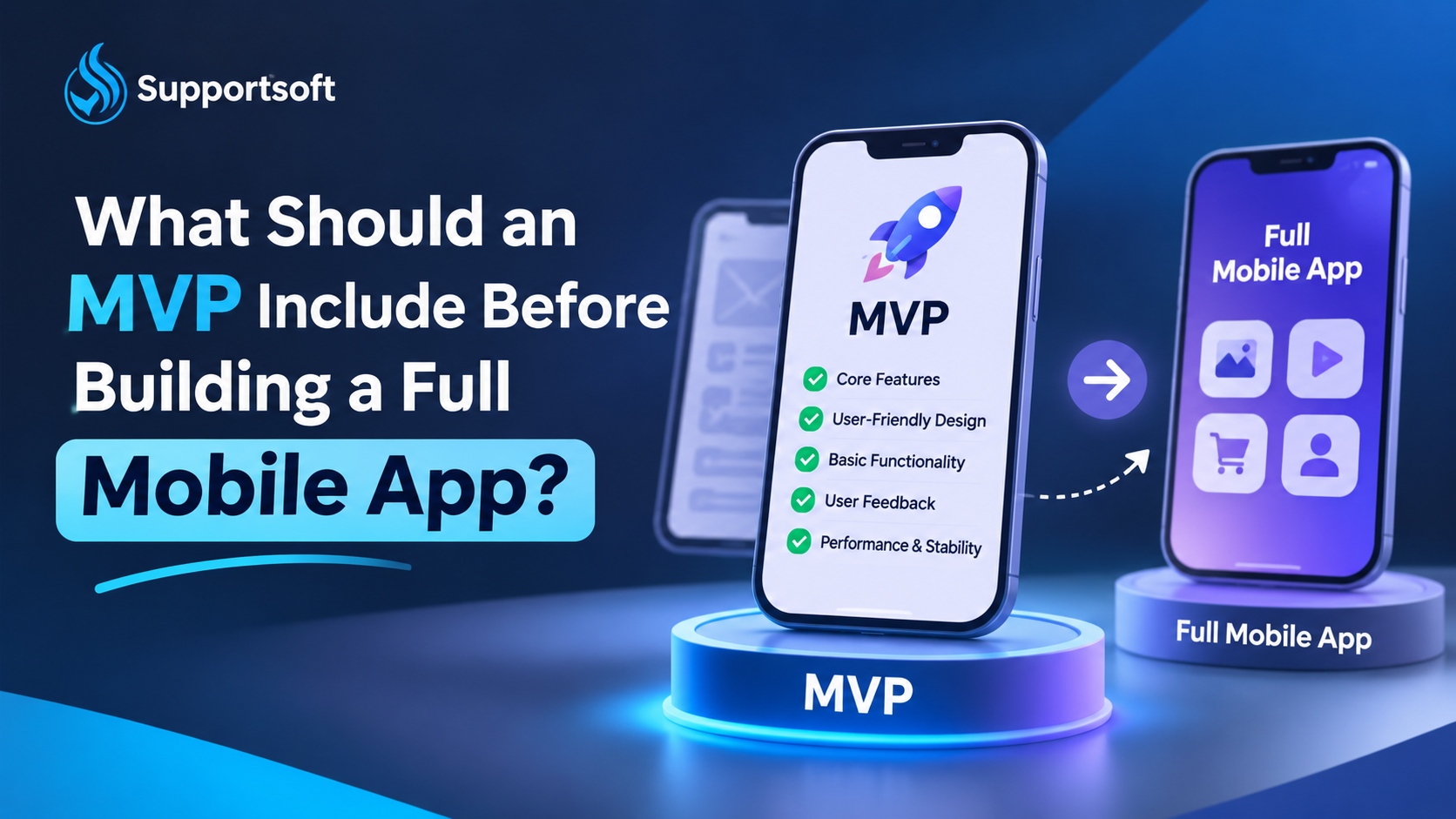
What Should an MVP Include Before Building a Full Mobile App?

Supportsoft Nov 25, 2026
A successful mobile application does not always need to begin with a large collection of features. Businesses can use intelligent capabilities, such as automated recommendations, predictive insights or AI-assisted support, when these features address a genuine user need. However, the initial product should prioritise its core purpose and provide a practical way to evaluate whether the proposed solution is useful.
Introduction
Building a full mobile application requires investment in product planning, user experience design, development, testing, deployment and ongoing maintenance. Committing to a complete feature set before understanding how users will respond can create unnecessary costs and development complexity.
A Minimum Viable Product (MVP) provides a more focused starting point. It is an initial version of a product containing the essential functionality needed to solve a specific user problem and collect meaningful feedback.
For businesses planning a mobile app, an MVP can help answer important questions:
- Does the proposed application solve a real problem?
- Can users complete the main task successfully?
- Are the essential features easy to understand and use?
- Are customers willing to use the product?
- Which improvements should be prioritised before expanding development?
An MVP is not simply an incomplete application. It should provide a usable experience that allows a business to test its assumptions with real users.
This guide explains what a mobile app MVP should include, how to prioritise features, which capabilities can be postponed and how businesses can use early feedback to plan a full application.
What Is a Minimum Viable Product for a Mobile App?
A Minimum Viable Product is an early version of a digital product developed with the minimum functionality required to deliver its primary value and test important assumptions.
For a mobile application, this means identifying the main problem the app is intended to solve and building only the features needed to support that purpose.
For example, a business planning an appointment booking application might initially need:
- User registration and login
- A list of available services
- Appointment availability
- Booking confirmation
- Basic appointment management
Advanced loyalty programmes, personalised recommendations, complex reporting and multiple payment options may not be necessary for the first release.
The objective is to make the central user journey functional without investing in features that have not yet demonstrated their value.
MVP vs Prototype vs Full Mobile Application
These terms are related but serve different purposes.
| Product stage | Main purpose | Typical functionality | Expected outcome |
|---|---|---|---|
| Prototype | Explore an idea or design | Screen layouts, clickable demonstrations and sample user journeys | Evaluate concepts and usability before full development |
| Minimum Viable Product | Test the core product with real users | Essential working features and basic supporting functionality | Gather evidence about user needs and product value |
| Full mobile application | Deliver a more complete product | Expanded features, integrations, automation and operational capabilities | Support broader business and user requirements |
A prototype may look and behave like an application without having a complete working backend. An MVP, in contrast, should have enough functioning capability for users to perform the central task.
What Should a Mobile App MVP Include?
The features required depend on the business model, target audience and problem being addressed. However, most mobile app MVPs need several fundamental components.
A Clearly Defined Core User Problem
Before selecting features, businesses should identify the main problem the application is intended to solve.
The MVP should be built around one primary value proposition rather than trying to address every possible customer requirement.
For example:
- A booking app should make it possible to find availability and reserve a service
- A retail app should allow users to browse products and complete an order
- An employee app should help staff complete a specific workplace task
- A delivery app should connect customers with the ordering and delivery process
The business should be able to explain what users will achieve by using the initial application.
If the central problem is unclear, feature prioritisation becomes difficult because there is no reliable basis for deciding what is essential.
Essential User Registration and Authentication
If the application needs individual user accounts, the MVP should include a suitable registration and authentication process.
Depending on the product, this may involve:
- Email-based registration
- Secure login
- Password reset
- Basic profile information
- Account verification where necessary
- Appropriate session management
Not every MVP requires registration. For example, a simple informational application may allow users to access its main functionality without creating an account.
Account creation should only be included when it supports the core experience, security requirements or business workflow.
A Simple and Functional User Interface
An MVP should be easy to understand, even if it does not contain the advanced visual features planned for a future release.
Its interface should help users complete the primary task without unnecessary steps.
Important design elements include:
- Clear navigation
- Readable text and labels
- Consistent interface elements
- Logical screen layouts
- Accessible controls
- Useful error messages
- Clear confirmation after important actions
A simple design should not be confused with poor design. The application still needs a coherent and usable interface.
The Primary Feature or Core Workflow
The central functionality is the most important part of the MVP.
It should allow users to complete the activity that makes the application valuable.
Examples include:
| Mobile app type | Core MVP functionality | What the business can validate |
|---|---|---|
| Appointment booking | View availability and make a booking | Whether users prefer booking through the app |
| E-commerce | Browse products, view details and place orders | Whether users will purchase through the application |
| Food delivery | Browse menus and submit orders | Whether customers find the ordering process useful |
| Fitness | Access basic workouts and record activity | Whether users engage with the proposed fitness experience |
| Marketplace | Browse listings and contact or transact with sellers | Whether the platform can connect both user groups |
| Business operations | Complete a defined task and view its status | Whether the application improves the selected workflow |
The first release should make this primary workflow usable from beginning to end.
Adding several secondary functions while leaving the main workflow incomplete defeats the purpose of an MVP.
Basic Data Storage and Backend Functionality
Many mobile applications need a backend to store information, process requests and manage business operations.
Depending on the application, the MVP may require:
- A database for relevant user or transaction information
- Backend logic to process core actions
- Secure communication between the app and server
- Basic data validation
- Appropriate access controls
- Error handling for failed requests
The backend does not need to support every future requirement. However, it should be reliable enough to support the initial user journey and protect the information it handles.
Businesses should also consider how the data structure can accommodate likely improvements without requiring an unnecessary rebuild.
Basic Notifications and User Communication
Notifications can be useful when users need to receive information about an important action.
For example, an MVP may require:
- Booking confirmations
- Order status updates
- Account verification messages
- Important service notifications
- Basic transaction confirmations
However, advanced notification preferences, behavioural campaigns and complex automated messaging may be postponed.
The initial release should include only communication features that support the primary user journey.
Essential Admin or Management Functionality
Many business applications require an internal way to manage the information generated by users.
An MVP may need a basic administrative interface that allows authorised staff to:
- View submitted bookings or orders
- Manage relevant user records
- Update basic information
- Review transaction or request statuses
- Respond to essential operational requirements
The admin functionality should reflect the business process being tested. It does not need to become a comprehensive enterprise management platform in the first release.
Essential Security and Privacy Controls
An MVP should not postpone fundamental security requirements.
Even an early product may collect personal details, business information or payment-related data. Appropriate safeguards should be considered during planning and development.
Depending on the application, essential controls may include:
- Secure authentication
- Role-based access where required
- Encrypted communication
- Secure handling of sensitive information
- Input validation
- Protection against unauthorised access
- Appropriate data retention and privacy practices
The security requirements should reflect the type of information collected and the risks associated with the product.
A smaller feature set does not remove the need for responsible data handling.
Basic Analytics and Feedback Collection
An MVP should provide a way to understand how users interact with the application.
Without measurement, businesses may struggle to determine whether the product is solving the intended problem.
Useful measurements may include:
- Number of registrations
- Active users
- Completion of the primary user journey
- Booking or transaction completion
- Feature usage
- User drop-off points
- Errors and failed actions
- Customer feedback
The business should also provide a simple way for early users to report problems or share suggestions.
Analytics should focus on questions that influence product decisions rather than collecting every possible data point.
Which Features Should Be Excluded From the Initial MVP?
One of the most important parts of MVP planning is deciding what not to build.
Businesses often introduce too many features because they want the first release to appear complete. However, unnecessary functionality can increase development time, cost and testing requirements without helping validate the main product idea.
Features that may be postponed include:
- Advanced personalisation
- Complex loyalty and rewards programmes
- Multiple payment methods when one suitable option is sufficient
- Extensive reporting and analytics dashboards
- Advanced AI-powered recommendations
- Complex automation workflows
- Multiple third-party integrations that are not essential
- Social networking or community features
- Advanced gamification
- Extensive customisation options
These features are not inherently unnecessary. They may become important once user feedback and business requirements demonstrate their value.
How to Decide Whether a Feature Should Be Postponed
Ask the following questions:
- Is this feature necessary for the primary user journey?
- Can the MVP deliver its main value without it?
- Does the feature address a confirmed user requirement?
- Will postponing it prevent meaningful product validation?
- Does it introduce significant development or maintenance complexity?
If the feature does not contribute directly to the initial validation objective, it may belong in a later development phase.
How Should Businesses Prioritise MVP Features?
Feature prioritisation helps businesses control the initial scope and focus development resources on the most valuable functionality.
A practical approach is to classify features according to their importance to the core product experience.
Must-Have Features
These are essential for the application to perform its primary purpose.
Examples:
- User access where required
- Core service or product functionality
- Essential data processing
- Necessary backend operations
- Fundamental security controls
Without these features, the MVP cannot deliver its intended value.
Should-Have Features
These improve usability or operational efficiency but may not be essential to the first validation release.
Examples:
- Additional search filters
- Optional notifications
- Basic reporting improvements
- Additional profile settings
- Secondary user workflows
Their inclusion depends on development resources and the importance of the user requirement.
Could-Have Features
These are useful enhancements that can be introduced after the initial product has been tested.
Examples:
- Advanced personalisation
- Loyalty programmes
- Additional integrations
- Custom dashboards
- More extensive automation
Future Features
These may form part of the longer-term product roadmap but should not distract from initial validation.
Examples:
- Multi-region functionality
- Complex AI capabilities
- Advanced marketplace features
- Large-scale enterprise integrations
- Extensive predictive analytics
The following table summarises the prioritisation approach.
| Priority | Feature category | Decision for MVP | Example |
|---|---|---|---|
| Must-have | Core functionality and essential security | Include in the first release | Booking creation and secure access |
| Should-have | Supporting user experience | Include if needed for usability or operations | Booking reminders |
| Could-have | Additional convenience | Usually postpone | Loyalty points |
| Future | Advanced product expansion | Reassess after validation | Predictive recommendations |
The priority of a feature should be based on the product's purpose, not simply on how attractive or technically interesting it appears.
How to Identify the Right MVP Scope Before Development
Feature selection should follow a structured process. This reduces the likelihood of building an application around assumptions that have not been properly examined.
Step 1: Define the Business Objective
Start by identifying what the business wants to achieve.
Examples include:
- Simplifying an existing manual process
- Improving customer access to services
- Testing demand for a new digital product
- Reducing administrative work
- Creating a new revenue channel
The objective should be specific enough to guide product decisions.
Step 2: Identify the Target Users
Understand who will use the application and what they need to accomplish.
Consider:
- Their main problems
- Their current methods of completing tasks
- Their expectations from a mobile application
- Their technical experience
- The devices and platforms they use
User research, interviews and existing customer feedback can help clarify these requirements.
Step 3: Map the Main User Journey
Describe the steps users must complete to receive the application's primary value.
For example, an appointment booking app may follow this journey:
- Open the application
- Browse available services
- Select a service
- Choose an available time
- Confirm the booking
- Receive confirmation
This journey helps identify the features required for the MVP and highlights unnecessary steps.
Step 4: Convert Requirements Into Features
Translate the user journey into specific functional requirements.
| User requirement | Required MVP capability |
|---|---|
| Find a suitable service | Service listing |
| Understand service details | Service information screen |
| Select a suitable time | Availability display |
| Reserve an appointment | Booking functionality |
| Confirm the reservation | Confirmation message |
| Manage appointments | Basic booking management |
This creates a practical connection between user needs and development scope.
Step 5: Estimate Complexity and Dependencies
Some features depend on other components.
For example, online payments may require a payment gateway, transaction handling, security controls and additional testing.
Before including a feature, assess:
- Development effort
- Technical dependencies
- Integration requirements
- Security implications
- Testing requirements
- Ongoing maintenance needs
This helps businesses avoid underestimating the work involved in an apparently simple feature.
Step 6: Define the MVP Release Criteria
Establish what must be completed before the MVP can be released.
Criteria may include:
- The primary user journey works from beginning to end
- Essential functions behave as expected
- Important errors have been addressed
- Security requirements have been reviewed
- Users can provide feedback
- Analytics can measure relevant interactions
- The business can support initial users
A defined release standard prevents the MVP from being treated as a demonstration that is not ready for real-world use.
What Technical Components Does a Mobile App MVP Need?
The technical architecture should support the initial product without introducing unnecessary complexity.
Not every MVP requires a sophisticated infrastructure. The right approach depends on the application, expected usage, information handled and future development plans.
Frontend Mobile Application
The frontend is the part of the application users interact with.
It includes:
- Screens and navigation
- Forms and input fields
- Buttons and interactive elements
- User-facing messages
- Display of relevant information
The frontend should support the core user journey and provide a consistent experience across the selected devices.
Backend Services
The backend manages application logic and processes requests from the mobile frontend.
It may handle:
- User authentication
- Business rules
- Data processing
- Booking or order management
- Communication with external services
- Administrative operations
The backend should be designed around the MVP's actual requirements rather than hypothetical future functionality.
Database
The database stores the information needed to operate the application.
Depending on the product, this may include:
- User information
- Product or service records
- Bookings or orders
- Transaction references
- Application settings
- Relevant activity records
Businesses should consider data protection, access permissions and backup arrangements when selecting the database approach.
APIs and Essential Integrations
APIs allow the application to exchange information with backend services and external platforms.
An MVP may need integrations for:
- Payment processing
- Email or SMS notifications
- Maps and location services
- Existing business systems
- Authentication providers
Only integrations required for the primary workflow should normally be included in the initial release.
Hosting, Monitoring and Deployment
The application also needs an environment in which its backend services can operate.
Essential considerations may include:
- Suitable hosting or cloud infrastructure
- Secure configuration
- Application monitoring
- Error logging
- Backup arrangements
- Deployment processes
The infrastructure should be appropriate for the expected initial workload while allowing practical improvements as usage grows.
How Should Businesses Test an MVP Before Building the Full App?
Testing an MVP is not limited to checking whether its features work. Businesses should also evaluate whether users understand the application and whether it addresses the intended problem.
Functional Testing
Confirm that the main features behave as expected.
For example:
- Can users register and log in?
- Can they complete the main task?
- Are records saved correctly?
- Do important notifications work?
- Are errors handled appropriately?
Usability Testing
Observe how target users interact with the application.
Look for:
- Confusing navigation
- Unclear instructions
- Unnecessary steps
- Difficult forms
- Problems completing the main task
Compatibility Testing
Check the application on the devices and operating systems it is intended to support.
Performance Testing
Assess whether important screens and operations respond appropriately under expected usage conditions.
Security Testing
Review authentication, permissions, data handling and relevant vulnerabilities before allowing real users to access the application.
User Acceptance Testing
Ask representative users to complete realistic tasks and provide feedback on the experience.
The objective is to identify issues that could prevent the MVP from delivering its intended value.
How Can Businesses Measure Whether an MVP Is Successful?
An MVP should have measurable objectives before it is released. Otherwise, businesses may collect feedback without knowing how to interpret it.
The right metrics depend on the product's purpose.
| Measurement area | Example metric | What it helps evaluate |
|---|---|---|
| User acquisition | New registrations or sign-ups | Whether the product attracts initial users |
| Activation | Users completing the first key action | Whether users understand the product's value |
| Engagement | Frequency of relevant app usage | Whether users continue interacting with the app |
| Core functionality | Completed bookings, orders or tasks | Whether the main workflow works in practice |
| Retention | Users returning over a defined period | Whether the product remains useful |
| Reliability | Crash rates and failed operations | Whether the application performs consistently |
| User feedback | Reported problems and satisfaction responses | What users value and what needs improvement |
Define Success Criteria Before Launch
For example, a booking application might measure:
- Whether users can complete a booking without assistance
- How many users complete the booking process
- Where users abandon the journey
- Whether customers return to make another booking
- Which problems users report most frequently
There is no universal success threshold for every MVP. Businesses should set realistic targets based on their product, audience, market and validation objectives.
How Should an MVP Evolve Into a Full Mobile Application?
Once the MVP has been tested, the next step is to decide which improvements are supported by the available evidence.
Not every requested feature should automatically become part of the full product.
Businesses should review:
- Which features users actually use
- Where users experience difficulties
- Which functions create the most value
- Whether the original problem is being addressed
- What additional requirements have emerged
- Whether the technical architecture needs to evolve
A Practical Post-Mvp Development Approach
Phase 1: Review user feedback
Identify repeated issues, feature requests and areas of confusion.
Phase 2: Analyse usage data
Review relevant analytics to understand how users interact with the product.
Phase 3: Prioritise improvements
Rank proposed changes according to user value, business impact, technical effort and risk.
Phase 4: Improve the product
Refine existing functionality before adding features that do not support the core experience.
Phase 5: Expand capabilities
Introduce additional integrations, workflows, automation and advanced features when there is a clear requirement.
Phase 6: Review scalability and maintenance
Assess whether the application's architecture, infrastructure and support arrangements remain appropriate as the product grows.
The transition from MVP to a full application should be guided by actual product requirements rather than an assumption that every possible feature must eventually be built.
Businesses planning to validate a product idea or develop an initial version of their application can explore MVP Development Services to assess the essential features, technical requirements and development scope for their product.
Common Mistakes Businesses Should Avoid When Planning an MVP
Even when businesses understand the purpose of an MVP, certain planning mistakes can reduce its effectiveness.
Building Too Many Features
An MVP with excessive functionality can become expensive and difficult to test. Focus on the smallest feature set that delivers the core value.
Building Too Little Functionality
A product that cannot complete its main user journey is not a useful MVP. The initial version must work well enough to test the proposed solution.
Ignoring User Research
Businesses should not assume that internal opinions accurately represent customer needs. Speak with target users and examine how they currently solve the problem.
Treating an MVP as a Low-Quality Product
Reducing scope should not mean neglecting usability, reliability, accessibility or security. The core experience still needs to meet an appropriate quality standard.
Ignoring Analytics and Feedback
Without relevant measurement, businesses may struggle to identify what works and what needs improvement.
Choosing Technology Without Considering Requirements
The development approach should support the product's functionality, platform needs, security requirements and likely maintenance demands.
Failing to Plan for Future Improvements
An MVP should be limited in scope, but its architecture should still be maintainable. Avoid unnecessary complexity while considering reasonable future changes.
Conclusion
A mobile app MVP should include the minimum functionality required to solve a real user problem and test whether the proposed product delivers value. It needs a clear purpose, a usable interface, a complete core workflow, appropriate backend functionality, essential security and a way to collect feedback.
The objective is not to release an unfinished version of a full application. It is to develop a focused product that allows businesses to learn from real users before committing to broader development.
By prioritising essential features, defining measurable objectives and using feedback to guide improvements, businesses can make more informed product decisions and establish a practical foundation for future growth.
Frequently Asked Questions
What should an MVP include for a mobile app?
A mobile app MVP should include the core functionality needed to solve the primary user problem. Depending on the product, this may include a basic interface, essential user access, the main feature, backend functionality, necessary data storage, security controls and basic analytics or feedback collection.
How many features should a mobile app MVP have?
There is no fixed number of features for an MVP. The scope depends on the product's purpose and the complexity of its main user journey. Businesses should include only the functionality required to deliver the core value and test their assumptions with users.
Should an MVP include user registration and login?
Only when user accounts are necessary for the product's functionality, security or business workflow. Some applications need individual accounts, while simpler products may allow users to access the main functionality without registration.
Should payment functionality be included in an MVP?
Payment functionality should be included when completing a transaction, as it is essential to validating the product's business model. If payments are not necessary for the initial validation objective, businesses may consider a simpler way to test demand before introducing a full payment workflow.
What is the difference between an MVP and a prototype?
A prototype is generally used to demonstrate or evaluate an idea, interface or user journey. An MVP is a working product with enough functionality for real users to complete its main task and provide feedback. A prototype does not necessarily include a production-ready backend or operational functionality.
Can a mobile app MVP be launched on both iOS and Android?
Yes. An MVP can support iOS, Android or both platforms. The decision depends on the target audience, development budget, technical requirements and validation goals. Businesses should choose the platforms that allow them to reach the intended users effectively.
Should an MVP include AI features?
Only when an intelligent capability is necessary to test the product's main value proposition. For example, a recommendation feature may be central to a product's purpose, while an ordinary search function may be sufficient for another application. AI should not be added simply to make an MVP appear more advanced.
How long does it take to develop a mobile app MVP?
The timeline depends on feature complexity, platform requirements, integrations, design, security needs and testing. A focused MVP with a straightforward workflow may require less development effort than a product involving payments, complex backend processing or multiple external systems. A realistic estimate requires a defined scope.
How much does it cost to build a mobile app MVP?
MVP development costs vary according to the required functionality, design, technology, integrations, platforms and development effort. Reducing unnecessary features can help control the initial scope, but businesses should not remove essential security, testing or reliability requirements simply to reduce costs.
What happens after an MVP is launched?
After launch, businesses should monitor usage, collect user feedback, review performance and identify areas for improvement. The next development phase should prioritise changes supported by user behaviour and business objectives. Some features may be expanded, while others may be redesigned or removed.