
 Mobile App Development
 Software Development
 AI Solutions & Automation
 IoT Solutions
 Web Development
 Cyber Security
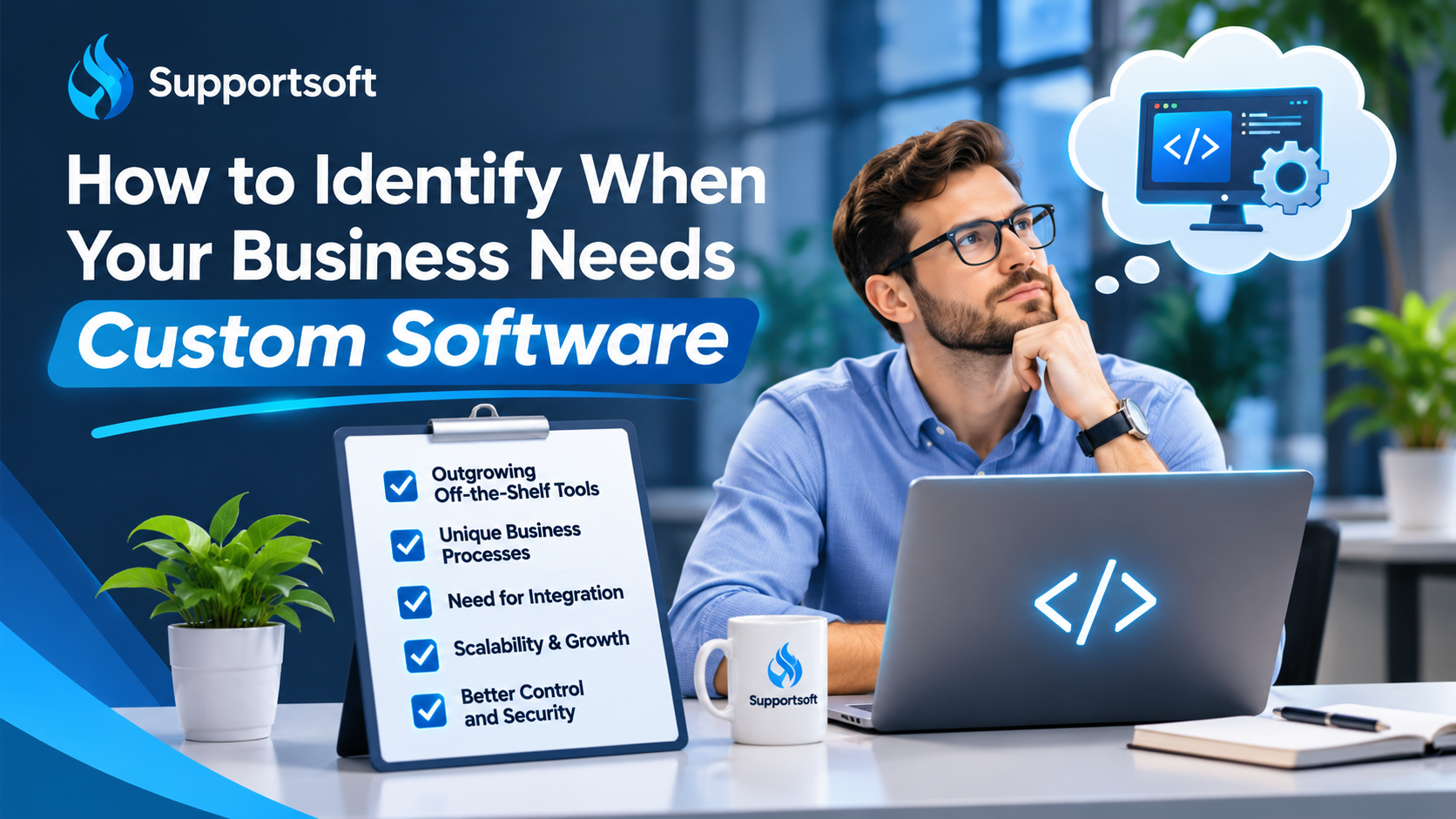
How to Identify When Your Business Needs Custom Software

Supportsoft Nov 26, 2026
Businesses often begin with standard software to manage accounting, customer relationships, inventory, communication and everyday operations. These tools can be effective while business processes remain relatively straightforward. However, as an organisation grows, its operational requirements may become more specialised, and existing applications may no longer provide the functionality or flexibility required.
Modern software can also incorporate intelligent automation, data analysis and AI-powered capabilities to support more complex business workflows. These features can be useful when they address genuine operational problems, but businesses should first determine whether their underlying software environment can support their requirements.
Introduction
Custom software is developed around the specific requirements, workflows and objectives of a business. Unlike standard off-the-shelf products, which provide predefined functionality for a broad audience, purpose-built applications can be designed to address particular operational challenges.
However, not every business needs custom software. A standard product may be sufficient when it provides the necessary features, integrations, reliability and flexibility at an appropriate cost.
The decision becomes more important when existing tools create operational limitations, require excessive manual work or cannot support changing business requirements.
Some common indicators include:
- Employees repeatedly entering the same information into different applications
- Business processes relying heavily on spreadsheets and manual administration
- Existing software lacking essential functionality
- Applications failing to integrate effectively with one another
- Standard products becoming difficult or expensive to customise
- Reporting systems providing incomplete or disconnected information
- Business growth creating requirements that existing applications cannot accommodate
This guide explains how to recognise when a business may need custom software, how to evaluate existing systems and which factors to consider before investing in a purpose-built solution.
Your Existing Software No Longer Supports Business Requirements
One of the clearest signs that a business may need custom software is when existing applications no longer support the way the organisation oprates.
Businesses often adopt standard software because it provides readily available functionality. Over time, however, operational requirements can become more specialised.
For example, a company may initially use a standard inventory application. As its operations expand, it may need additional capabilities for supplier coordination, warehouse management, order processing and automated stock updates.
If the existing application cannot accommodate these requirements, employees may begin relying on separate tools or manuals.
Signs Your Software Is Becoming Limiting
Consider whether:
- Important business processes are not supported by available features
- Employees regularly use spreadsheets to fill gaps in existing applications
- Software configuration cannot accommodate essential business rules
- Additional modules are required for relatively basic workflows
- The organisation has to change effective processes to fit software limitations
- New operational requirements cannot be implemented without significant workarounds
These limitations do not automatically mean custom development is necessary. First, determine whether the existing software can be configured, extended or replaced with another suitable product.
Custom software becomes worth investigating when available alternatives cannot support important requirements effectively.
Your Business Relies Too Heavily on Manual Processes
Manual processes can become a significant operational burden when employees spend considerable time performing repetitive tasks.
For example, staff may manually transfer customer information between applications, update inventory records, prepare reports or process internal approvals.
These activities can consume time and create opportunities for inconsistent information and avoidable errors.
Common Manual Workflow Problems
A business may benefit from evaluating custom software when:
- Employees repeatedly enter identical information into multiple systems
- Orders require manual verification across different applications
- Staff prepare operational reports using several spreadsheets
- Approval processes depend on emails and informal communication
- Employees manually track customer requests or service activities
- Information must be transferred between departments without automated workflows
How Custom Software Can Address These Problems
A purpose-built application can be designed to automate suitable processes and connect related business activities.
For example, an order management application could:
- Receive a new customer order
- Validate the required information
- Check product availability
- Update relevant inventory records
- Notify the appropriate employees
- Record the transaction for reporting
The actual workflow would depend on the organisation’s requirements and existing systems.
Before investing in development, identify which tasks consume the most time, where errors occur and which activities can realistically be automated.
Your Business Uses Too Many Disconnected Applications
Using multiple software products is not necessarily a problem. Businesses often need different applications for accounting, customer management, inventory, communication and reporting.
The challenge arises when these systems cannot exchange information effectively.
Disconnected applications can create data silos, duplicated records and additional administrative work.
Common Signs of Disconnected Systems
- Customer information is stored separately across multiple platforms
- Employees manually transfer records between applications
- Sales, finance and operations teams work with different versions of business data
- Reports require information to be collected from several sources
- Existing applications lack suitable API integrations
- Changes made in one system are not reflected in related applications
When Custom Integration or Software Becomes Necessary
Business should first investigate whether existing applications support suitable integrations, APIs or automation tools.
If standard integration options cannot do the required workflows, custom integration development or a central business application may be more appropriate.
For example, a business may need a central platform that connects its CRM accounting software, inventory system and order management application.
The objective is not necessarily to replace every existing tool. It may be more practical to develop a custom solution that allows essential systems to exchange information reliably.
Your Business Processes Are Too Specific for Standard Software
Standard software is generally developed to serve a broad market. Its features are designed around common requirements rather than the exact processes of every organisation,
This works well for businesses with relatively standard workflows.
However, organisationsoperataing with specialised procedures may find that generic products cannot accommodate their requirements.
Examples of Specialised Business Requirements
A business may need:
- Industry-specific approval workflows
- Custom pricing and quotation rules
- Complex inventory allocation processes
- Specialised customer onboarding procedures
- Unique reporting and compliance requirements
- Multiple operational roles with different permissions
- Business rules that depend on several conditions
- Specialised supplier or partner management functionality
For example, a manufacturing business may need an application that coordinates production schedules, raw material availability, quality checks and equipment information.
A generic inventory application may not provide all the required functionality.
How to Evaluate Workflow Limitations
Document the current process and identify where standard software creates problems.
Ask:
- Which business rules cannot be configured?
- Which steps require manual intervention?
- Are employees using workarounds to complete essential tasks?
- Can another existing product support the process?
- Would a custom application improve the workflow enough to justify its cost?
Custom software may be appropriate when the process is important to business operations and available products cannot support it effectively.
Your Business Is Experiencing Growth That Existing Systems Cannot Handle
Business growth can introduce new technical and operational requirements.
An application that works effectively for a small team may become difficult to manage when the organisation increases its users, transactions, locations or service offerings.
Common Software Challenges During Business Growth
- Increasing numbers of users accessing the same application
- More transactions and records requiring processing
- Additional departments needing access to shared information
- New locations requiring coordinated operational workflows
- Increased reporting requirements
- Additional integrations with business partners and suppliers
- More complex permissions and user management
When Custom Software May Help
A purpose-built application can be designed around the organisation's current requirements and anticipated future needs.
Depending on the project, this may involve:
- Modular application architecture
- Role-based access controls
- Database structures designed for expected workloads
- Integration with additional business systems
- New functionality introduced in development phases
- Suitable cloud infrastructure and deployment arrangements
Custom software does not automatically guarantee scalability. Architecture, infrastructure, database design, testing and ongoing maintenance all influence how well an application handles growth.
Businesses should therefore assess realistic future requirements before deciding on an architecture.
Your Reporting and Business Visibility Are Inadequate
Business decisions depend on reliable information.
When data is distributed across several applications, it can become difficult to obtain a consistent view of operational performance.
Employees may spend time exporting information, combining spreadsheets and manually preparing reports.
This can delay decision-making and increase the possibility of reporting inconsistencies.
Signs Your Reporting Systems Need Improvement
- Reports require information from several applications
- Different departments use inconsistent figures
- Management cannot access important operational information easily
- Reporting depends on manual spreadsheet updates
- Business performance is difficult to monitor in real time
- Existing dashboards do not reflect the organisation's actual KPIs
How Custom Software Can Improve Reporting
A custom business application can bring relevant information together from connected systems and present it through reports or dashboards.
Depending on requirements, it may provide:
- Centralised operational reporting
- Custom dashboards for different user roles
- Automated report generation
- Data filtering and export functionality
- Performance indicators aligned with business objectives
- Connections to existing databases and applications
Businesses should establish which decisions the reporting system needs to support before developing new dashboards or data functionality.
Existing Software Is Becoming Expensive or Difficult to Maintain
Software costs should be evaluated beyond the initial purchase price.
A standard product may appear inexpensive at first, but ongoing subscriptions, additional users, premium modules, integrations and customisation can increase the total cost of ownership.
Similarly, older internally developed applications may become expensive to maintain when their architecture, dependencies or documentation are outdated.
Common Cost and Maintenance Warning Signs
- Subscription costs increase as the organisation adds users
- Essential features require expensive upgrades
- Third-party integrations involve recurring charges
- Vendor restrictions limit important changes
- Older applications require frequent technical intervention
- Maintaining existing systems consumes significant development resources
- Software updates create compatibility problems
Compare Total Cost of Ownership
Before deciding to build custom software, compare the cost of continuing with existing products against the cost of developing and maintaining an alternative.
| Cost factor | Existing software | Custom software |
|---|---|---|
| Initial investment | Purchase, setup or subscription costs | Requirements analysis, design and development |
| Licensing | Vendor licensing or subscription fees | Depends on selected third-party components and licences |
| Customisation | May involve additional modules or vendor limitations | Development costs depend on required functionality |
| Integration | Existing connectors or additional integration charges | Tailored integration development where required |
| Maintenance | Vendor support and internal administration | Ongoing maintenance, updates and technical support |
| Future changes | Subject to product capabilities and vendor roadmap | Changes can be planned around business priorities |
Custom software is not automatically cheaper over the long term. Businesses should compare realistic costs, operational benefits and maintenance responsibilities over an appropriate period.
You Need Greater Control Over Data, Security and User Access
Businesses handling sensitive or operationally important information need suitable controls over how data is accessed, processed and stored.
Some standard software products provide comprehensive security capabilities. Others may not support every access rule, integration requirement or data-handling process an organisation needs.
Security and Access Requirements to Evaluate
Consider whether your existing systems provide:
- Role-based access controls
- Multi-factor authentication
- User activity logging
- Secure API access
- Data encryption
- Appropriate backup and recovery arrangements
- Permission management for different departments
- Suitable data retention and privacy controls
When Custom Software May Be Appropriate
Custom development may be worth considering when the organisation needs application-specific access rules, specialised workflows or integrations that existing products cannot provide.
For example, a business may require an internal platform where finance, operations and management teams can access different information and perform different actions.
However, custom development does not automatically make an application more secure.
Security depends on appropriate architecture, secure coding, testing, access management, infrastructure configuration and ongoing maintenance.
Businesses should define their security requirements before choosing whether to build, configure or replace an application.
Your Business Needs Functionality That Existing Vendors Cannot Provide
Businesses using commercial software depend partly on the vendor's product capabilities and development roadmap.
This can become a limitation when the organisation requires functionality that the vendor does not plan to introduce.
Examples of Vendor-Related Limitations
- Essential features are unavailable
- Customisation options are restricted
- Integration requests are not supported
- Product updates change existing workflows
- Pricing plans do not accommodate business requirements
- Vendor support cannot address specialised operational needs
Evaluate Your Alternatives
Before replacing a product, investigate whether:
- The required functionality is available through configuration
- A supported extension or integration can address the issue
- Another commercial product offers the necessary capabilities
- The vendor provides a suitable development roadmap
- Custom development would deliver sufficient operational value
A custom application may be justified when the missing functionality is important to the business and other options cannot address the requirement effectively.
Your Business Needs a More Connected Customer or Employee Experience
Software limitations do not only affect internal operations. They can also influence how customers, suppliers and employees interact with a business.
For example, customers may need to contact staff manually to check order progress, submit service requests or access account information.
Employees may also rely on several applications to complete a single customer request.
Signs of a Fragmented Digital Experience
- Customers cannot access important information independently
- Service requests are managed through disconnected communication channels
- Employees repeatedly ask customers for information already held elsewhere
- Customer records are not available across relevant departments
- Suppliers lack access to the information they need
- Business users cannot complete essential tasks through existing digital platforms
How Purpose-Built Applications Can Help
A custom application or portal may provide:
- Customer account management
- Order and service tracking
- Online request submission
- Document access
- Booking and appointment management
- Supplier and partner portals
- Internal employee dashboards
- Integration with CRM and business systems
The appropriate solution depends on the users, workflows and information that need to be supported.
When Should a Business Choose Custom Software Instead of Improving Existing Tools?
Not every software limitation requires a new application.
Sometimes a configuration change, integration, additional licence or process improvement can solve the problem more efficiently.
Businesses should compare the available options before committing to custom development.
Custom Software vs Existing Software Improvements
| Business situation | Option to consider first | When custom development may be justified |
|---|---|---|
| Missing standard feature | Configure the existing product or add a suitable module | The feature is essential and unavailable through practical alternatives |
| Repetitive manual work | Workflow automation or supported integrations | Workflows are specialised or require multiple systems to work together |
| Disconnected applications | Existing APIs and integration tools | Standard integrations cannot support the required data exchange |
| Increasing subscription costs | Review licences and alternative products | Total long-term cost and operational requirements support a tailored solution |
| Specialised business processes | Configure existing software | Important business rules cannot be accommodated |
| Inadequate reporting | Improve dashboards or reporting integrations | Data sources and reporting requirements need a dedicated application |
| Legacy software limitations | Upgrade or modernise existing systems | Redevelopment is more suitable than continued maintenance |
A Practical Decision Framework
Before investing in development, answer these questions:
- What specific business problem needs to be solved?
- How frequently does the problem occur?
- Which employees, customers or departments are affected?
- What limitations exist in the current software?
- Can configuration or integration solve the issue?
- Are suitable alternative products available?
- What would custom development cost?
- What maintenance and support would be required?
- What measurable operational improvement is expected?
- Does the business have the resources to manage the project?
A custom software project should have a clear business justification rather than being initiated simply because a tailored application seems more attractive.
What Should Businesses Do Before Investing in Custom Software?
Once a business identifies a genuine need, the next step is to establish the scope and feasibility of a potential solution.
A structured preparation process helps reduce uncertainty and prevents unnecessary development.
Step 1: Document Existing Business Processes
Map how employees currently complete the relevant tasks.
Identify manual steps, duplicate data entry, approval requirements, system dependencies and operational bottlenecks.
Step 2: Define the Core Problem
Describe the problem in business terms.
For example, instead of saying that the business needs a new management platform, identify the actual issue: customer requests are stored across separate systems, resulting in duplicated administration and limited visibility.
Step 3: Gather Functional Requirements
Document what the proposed application needs to do.
Requirements may include:
- User registration and authentication
- Role-based permissions
- Data entry and management
- Workflow automation
- Reporting and dashboards
- Third-party integrations
- Notifications and alerts
- Administrative controls
Separate essential functionality from optional improvements.
Step 4: Assess Technical Feasibility
Review the existing technology environment, databases, APIs, infrastructure and security requirements.
Determine whether the proposed application can integrate with current systems and whether any legacy components need modification.
Step 5: Establish Budget and Priorities
Estimate development, testing, deployment, hosting and maintenance costs.
Prioritise functionality according to business value and operational importance.
If your assessment indicates that a purpose-built application is the appropriate solution, explore our Custom Software Development Services in Australia.
Step 6: Consider an Initial MVP
If the project involves a new digital product or a substantial application, a minimum viable product (MVP) may help validate essential functionality before a larger investment.
The MVP should address the core problem and provide enough functionality to gather meaningful feedback.
Step 7: Plan for Ongoing Maintenance
Consider who will manage updates, security, infrastructure, bug fixes and future improvements after deployment.
A custom application is an ongoing software asset, not a one-time development task.
How to Know Whether Custom Software Will Deliver Business Value
The decision to develop custom software should be based on measurable business needs.
Before starting, establish how the proposed application is expected to improve existing operations.
Possible indicators include:
- Reduction in time spent on repetitive tasks
- Fewer manual data-entry errors
- Faster processing of customer requests
- Improved access to operational information
- Reduced duplication across business systems
- More consistent reporting
- Better workflow visibility
- Improved ability to support changing requirements
For example, if employees spend several hours each week transferring information between systems, a suitable integration or custom workflow application may reduce that effort.
The expected benefit should be compared with development, implementation and ongoing maintenance costs.
Businesses should also identify non-financial outcomes, such as improved process consistency, customer experience, data visibility and operational control.
The aim is to determine whether the proposed software solves a meaningful problem and provides sufficient value to justify the investment.
Conclusion
A business may need custom software when existing applications no longer support its operational requirements effectively. Manual processes, disconnected systems, specialised workflows, limited reporting and growing technical demands can all indicate that the current software environment needs improvement.
However, custom development should not be the automatic response to every software limitation. Businesses should first evaluate configuration options, integrations and suitable commercial alternatives.
When these options cannot address important requirements, a purpose-built application may provide greater control over functionality, workflows and future development.
The most effective approach is to identify the underlying business problem, define measurable objectives and assess the technical and financial feasibility before starting development. This helps ensure that software investment is based on genuine operational needs rather than unnecessary complexity.
Frequently Asked Questions
How do I know if my business needs custom software?
Your business may need custom software when existing applications cannot support important workflows, require excessive manual work, lack essential integrations or cannot accommodate specialised operational requirements. First assess whether configuration, integration or another standard product can solve the problem.
What are the signs that a business has outgrown its existing software?
Common signs include increasing manual work, disconnected applications, limited reporting, poor workflow visibility, missing functionality and difficulties supporting additional users or business processes. These issues may indicate that existing systems need improvement or replacement.
Is custom software better than off-the-shelf software?
Neither option is universally better. Off-the-shelf software is often suitable for common business requirements, while custom software may be more appropriate when an organisation needs specialised functionality, tailored workflows or integrations that available products cannot provide effectively.
When should a small business invest in custom software?
A small business should consider custom software when an important operational problem cannot be addressed effectively through affordable standard products or integrations. The decision should account for development costs, expected benefits, maintenance requirements and available resources.
Can custom software integrate with existing business applications?
Yes. Custom applications can be designed to communicate with existing systems through APIs, database connections and other supported integration methods. Compatibility, authentication, data formats and system permissions need to be assessed before implementation.
Is custom software expensive for businesses?
The cost depends on application complexity, functionality, integrations, design, infrastructure and testing requirements. Custom development generally involves an initial investment, along with ongoing hosting, maintenance and support expenses. Businesses should evaluate total cost of ownership rather than development cost alone.
Should a business replace all its existing software with a custom application?
No. Replacing every existing application is rarely necessary. A business may achieve better results by keeping suitable commercial products and developing a custom application or integration to address specific gaps in its existing technology environment.
How long does it take to develop custom business software?
The timeline depends on project scope, application complexity, integrations, technical requirements and testing. A smaller application with clearly defined functionality may take less time than a complex platform involving multiple departments and external systems. A realistic estimate requires requirements analysis and technical planning.
Can custom software help automate business processes?
Yes. Custom applications can automate suitable workflows such as order processing, approval management, reporting, notifications and data transfers. The automation opportunities depend on existing systems, business rules and the technical requirements of each process.
What should businesses prepare before starting a custom software project?
Businesses should document their operational problems, existing workflows, user requirements, essential features, integrations, security needs, budget and expected outcomes. They should also consider project scope, technical feasibility, testing and ongoing maintenance before development begins.